
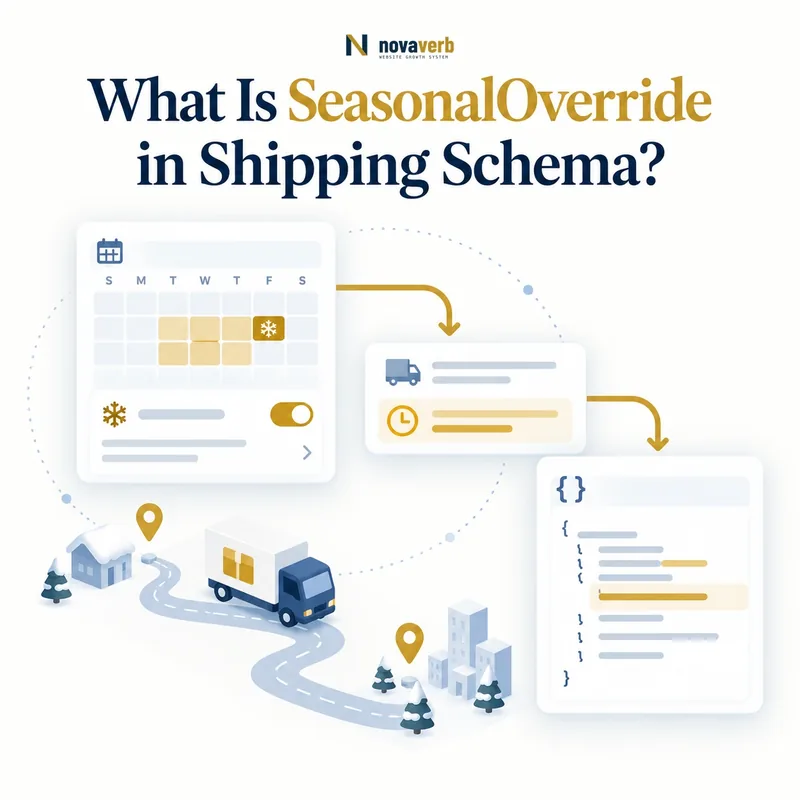
What Is SeasonalOverride in Shipping Schema?
SeasonalOverride is a ShippingConditions property that limits a temporary shipping rule to a defined date period using an OpeningHoursSpecification with validFrom, validThrough, or both.
It can bound a holiday surcharge, temporary free-shipping campaign, peak-season transit window, warehouse closure, or special delivery cutoff. The property does not contain the changed rate or timing by itself. It states when the surrounding ShippingConditions object applies.
- Identify the exact page, asset, entity or relationship described in this section.
- Inspect the live implementation and retain the observed evidence.
- Compare the observation with the intended meaning and its primary specification.
- Correct any mismatch, then retest the live result.
- Record the accountable owner and review date.
| Element | Role | Example |
|---|---|---|
| seasonalOverride | Marks limited validity | Holiday shipping rule |
| @type | Defines date container | OpeningHoursSpecification |
| validFrom | First valid date | 2026-11-20 |
| validThrough | Last valid date | 2026-12-24 |
| ShippingConditions | Contains actual rate and transit | Peak-season outcome |
- Use a real operational date boundary.
- Place the override on the temporary condition.
- Keep the ordinary policy available outside the period.
Use the free backlink checker while reviewing linked commerce pages.
Primary specification: Schema.org definition for seasonalOverride.
SeasonalOverride is accurate when it activates one truthful shipping condition for one limited operational period.
When Should You Use a Seasonal Shipping Override?
Use seasonalOverride when a shipping condition changes temporarily and has a defensible start or end date, while the normal policy should resume outside that interval.
Good uses include holiday handling delays, temporary carrier surcharges, a Black Friday free-shipping tier, regional service suspensions, or a warehouse closure. Do not use it for permanent changes or merely to make policy data look fresh. A permanent rate belongs in the base rule.
- The exact page, asset, entity or relationship covered by this section
- The live implementation rather than an editor-only preview
- The primary specification or first-party record defining the expected behavior
- The validation result, accountable owner and review date
| Scenario | Override? | Reason |
|---|---|---|
| Holiday transit delay | Yes | Temporary timing period |
| Permanent new carrier rate | No | Update base policy |
| One-week free shipping | Yes | Bounded promotion |
| Indefinite warehouse move | Not until dates known | Boundary is uncertain |
| Annual peak schedule | Yes, with annual dates | Recurring but still bounded |
- Describe the operational difference.
- Confirm that it is temporary.
- Choose exact start and end dates.
- Create a complete temporary condition.
- Schedule post-period verification.
The override should encode a known business event, not substitute for policy governance.
Use seasonalOverride only when the shipping outcome truly changes for a limited, measurable period.
How Do validFrom and validThrough Work?
ValidFrom states the first date the shipping condition applies, while validThrough states its last valid date; at least one boundary is needed and both provide the clearest closed period.
The dates use ISO 8601. A start-only override remains open after it begins, while an end-only override applies until its ending date according to the surrounding policy logic. Closed periods are safer for promotions and holiday changes because they reduce the chance of a temporary rule becoming permanent.
- Identify the exact page, asset, entity or relationship described in this section.
- Inspect the live implementation and retain the observed evidence.
- Compare the observation with the intended meaning and its primary specification.
- Correct any mismatch, then retest the live result.
- Record the accountable owner and review date.
| Date pattern | Meaning | Risk |
|---|---|---|
| Both dates | Closed seasonal interval | Lowest stale-rule risk |
| validFrom only | Starts and remains open | May never revert |
| validThrough only | Valid until end date | Start scope may be broad |
| No dates | No limited period | Invalid override intent |
| Start after end | Impossible interval | Reject |
- Use YYYY-MM-DD date format.
- Ensure start is not after end.
- Prefer both dates for temporary campaigns.
- Store business timezone separately when day boundaries matter.
Dates are inclusive policy boundaries only when the operational implementation treats them that way; document and test the transition.
A seasonal validity window is reliable when its date order, format, and boundary semantics match policy activation.
Where Does seasonalOverride Belong?
SeasonalOverride belongs on the ShippingConditions object whose destination, eligibility, rate, transit, or exclusion is temporarily active.
It does not belong on Product, Offer price, or the general Organization without the surrounding shipping rule. If only transit changes, the temporary condition should preserve the same destination and eligibility but provide the seasonal transit outcome. If rate and transit both change, keep both together in that condition.
- The exact page, asset, entity or relationship covered by this section
- The live implementation rather than an editor-only preview
- The primary specification or first-party record defining the expected behavior
- The validation result, accountable owner and review date
| Placement | Correct? | Reason |
|---|---|---|
| ShippingConditions.seasonalOverride | Yes | Dates qualify complete shipping rule |
| Product root | No | Product identity is not policy timing |
| Offer price | No | Use price validity properties |
| Return policy override | Different model | Return seasons use their own type |
- Identify the base ShippingService.
- Map the changed ShippingConditions.
- Copy only inputs that remain true.
- Add the changed outcome and date period.
- Verify precedence against the base condition.
Dates should travel with the rule they activate, not float separately from rate or speed.
Correct placement makes the seasonal dates and temporary shipping outcome one auditable entity.
How Should Base and Seasonal Conditions Interact?
The base condition should describe normal shipping, and the seasonal condition should override it only for matching inputs during its valid period before the base automatically resumes.
Both rules may match the same region and cart, so precedence must include date validity. The override should not require deleting the base policy at season start and rebuilding it later. That manual pattern increases gaps, race conditions, and stale data across caches or feeds.
- Identify the exact page, asset, entity or relationship described in this section.
- Inspect the live implementation and retain the observed evidence.
- Compare the observation with the intended meaning and its primary specification.
- Correct any mismatch, then retest the live result.
- Record the accountable owner and review date.
| Moment | Rule selected | Expected outcome |
|---|---|---|
| Before validFrom | Base condition | Normal rate and time |
| At validFrom | Seasonal condition | Temporary outcome begins |
| Inside period | Seasonal condition | Temporary outcome remains |
| After validThrough | Base condition | Normal policy resumes |
- Keep base rules continuously available.
- Define seasonal precedence explicitly.
- Invalidate cached policy at both boundaries.
- Test return to base behavior.
A safe implementation can evaluate current date and matching inputs without destructive policy edits.
Base and seasonal conditions work when date-aware precedence produces one clear outcome and automatically restores normal service.
How Do Holiday Rates and Transit Delays Work?
A holiday override should publish the exact temporary rate and transit time that applies to a defined region and eligible order during the seasonal period.
Do not combine a holiday surcharge from one service with the faster normal transit of another. A complete condition keeps destination, order band, rate, and transit together. If only warehouse handling changes, the policy-level handling ServicePeriod may need a coordinated update so total delivery remains accurate.
- The exact page, asset, entity or relationship covered by this section
- The live implementation rather than an editor-only preview
- The primary specification or first-party record defining the expected behavior
- The validation result, accountable owner and review date
| Holiday change | Temporary field | Keep aligned |
|---|---|---|
| Carrier surcharge | shippingRate | Currency and region |
| Peak transit delay | transitTime | Service and destination |
| Free shipping campaign | Zero rate | Order-value eligibility |
| Warehouse closure | Handling schedule | Cutoff and business days |
| Regional suspension | doesNotShip | DefinedRegion |
- Measure the temporary operational effect.
- Segment destination and service.
- Update rate, transit, or exclusion.
- Add the seasonal dates.
- Test representative carts and addresses.
Review ServicePeriod for handling and transit calendar rules.
Holiday markup is truthful when the entire temporary shipping option - not just its date - matches checkout.
How Should Time Zones and Midnight Boundaries Be Handled?
Seasonal date activation should use one documented business timezone so midnight transitions happen consistently across the policy source, rendered markup, caches, and checkout.
ValidFrom and validThrough are dates, but a global system still needs to decide whose calendar date applies. A campaign starting November 20 Eastern Time should not activate at the wrong instant for a Pacific warehouse or a UTC job. Store timezone authority upstream and schedule boundary events accordingly.
- Identify the exact page, asset, entity or relationship described in this section.
- Inspect the live implementation and retain the observed evidence.
- Compare the observation with the intended meaning and its primary specification.
- Correct any mismatch, then retest the live result.
- Record the accountable owner and review date.
| Timezone model | Benefit | Risk |
|---|---|---|
| Merchant headquarters | One clear policy clock | May differ from warehouses |
| Warehouse local time | Matches fulfillment | Several activations |
| Customer local time | Localized experience | Unstable shared markup |
| UTC | One exact system clock | Calendar date shifts locally |
| Unspecified | None | Boundary ambiguity |
- Choose one source timezone per rule.
- Document inclusive end-date behavior.
- Purge caches at start and end.
- Test on both sides of midnight.
The structured date and checkout transition must describe the same operational instant even if display formats differ.
Date-only overrides remain dependable when a documented timezone governs their real activation boundaries.
What SeasonalOverride Mistakes Are Common?
Common mistakes include missing dates, reversed periods, overrides that never expire, unclear precedence, stale cached rules, and temporary rates or transit times that disagree with checkout.
Another defect is using seasonalOverride for a permanent policy change or confusing it with sale-price validity and return-policy seasonal overrides. These models may use dates but qualify different facts. Syntax validation cannot prove a holiday shipping rule was activated or retired at the right time.
- The exact page, asset, entity or relationship covered by this section
- The live implementation rather than an editor-only preview
- The primary specification or first-party record defining the expected behavior
- The validation result, accountable owner and review date
| Mistake | Consequence | Fix |
|---|---|---|
| No validity date | Not actually seasonal | Add at least one boundary |
| Start after end | Impossible interval | Validate ordering |
| Open-ended campaign | Temporary rate becomes permanent | Prefer a closed period |
| Base and override conflict | Two outcomes match | Define date precedence |
| Cache not purged | Old rule remains visible | Schedule invalidation |
- Extract every override and parent condition.
- Validate dates and matching inputs.
- Compare with operational campaign records.
- Repair source and cache transitions.
- Verify before and after boundaries.
One correct source schedule should drive page, policy markup, and checkout.
Seasonal override errors require time-aware policy reconciliation, not cosmetic date edits.