
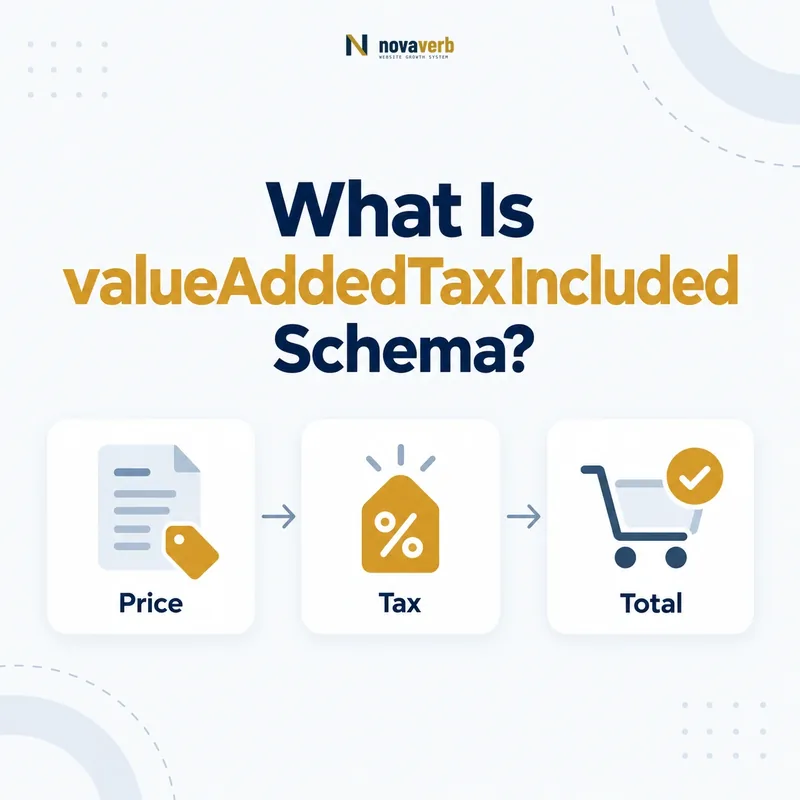
What Is valueAddedTaxIncluded Schema?
valueAddedTaxIncluded is a Boolean Schema.org property that states whether the price in a PriceSpecification includes value-added tax. Use true when VAT is already included in the stated price and false when VAT is excluded and will be added under the applicable terms.
Primary definition: Schema.org valueAddedTaxIncluded. Apply it only when the visible commercial terms support the Boolean value.
The property removes a specific kind of price ambiguity. A number such as €120 may represent the final VAT-inclusive price or a net price before tax. The Boolean helps machine-readable data preserve the same tax treatment the page communicates to the buyer.
- Frame the decision raised by What Is valueAddedTaxIncluded Schema.
- Read the primary property definition and expected value type.
- Compare markup with the visible price and commercial terms.
- Correct the source catalog or template without inventing a value.
- Validate the rendered page and recheck it after pricing changes.
| Value | Meaning | Visible example |
|---|---|---|
| true | The specified price includes VAT | €120 including VAT |
| false | The specified price excludes VAT | €100 excluding VAT |
| omitted | The markup does not declare VAT treatment | Use only when the property is not applicable or cannot be stated accurately |
- Attach it to the price specification it actually describes.
- Use a real Boolean, not the strings “yes” or “included.”
- Match visible price labels, checkout, and invoice treatment.
The definition is binary but consequential: valueAddedTaxIncluded says whether VAT is already inside the marked-up price.
How Does valueAddedTaxIncluded Work in PriceSpecification?
valueAddedTaxIncluded qualifies the price inside a PriceSpecification by declaring its VAT treatment. The price and currency identify the amount; the Boolean identifies whether that amount is gross of VAT or net of VAT.
The property does not calculate a tax rate, choose a customer’s jurisdiction, or replace checkout tax logic. It describes the commercial meaning of one price specification at the time and context in which it applies.
- Evidence for How Does valueAddedTaxIncluded Work in PriceSpecification must come from the exact page and pricing context.
- Locate the Offer or PriceSpecification node that contains the property.
- Confirm the currency, price boundaries, tax treatment and eligibility context that apply.
- Compare rendered structured data with catalog, checkout and visible page terms.
- Retain a fresh validation result and the URL where the value was observed.
| Property | What it communicates | Example |
|---|---|---|
| price | The monetary amount | 120.00 |
| priceCurrency | The currency | EUR |
| valueAddedTaxIncluded | Whether VAT is included | true |
| validFrom and validThrough | The period in which terms apply | Promotion dates |
- Identify the exact visible price being marked up.
- Determine whether that amount includes VAT.
- Set the Boolean on the same price specification.
- Confirm the buyer sees identical treatment at checkout.
Review the parent structure in PriceSpecification Schema.
The relationship is descriptive: the property explains the tax status of the specific price, not the customer’s eventual tax liability.
When Should You Use valueAddedTaxIncluded?
Use valueAddedTaxIncluded when VAT treatment is applicable to the price and the page can state truthfully whether VAT is included. It is most relevant to ecommerce, services, subscriptions, tickets, rentals, and cross-border offers shown in VAT jurisdictions.
A US-only offer subject to sales tax rather than VAT may not benefit from the property. Do not treat it as a generic “all taxes included” flag. US sales tax can depend on destination, nexus, product taxability, and checkout data, so a VAT-specific Boolean should not be repurposed.
- Frame the decision raised by When Should You Use valueAddedTaxIncluded.
- Read the primary property definition and expected value type.
- Compare markup with the visible price and commercial terms.
- Correct the source catalog or template without inventing a value.
- Validate the rendered page and recheck it after pricing changes.
| Scenario | Use? | Reason |
|---|---|---|
| EU consumer price includes VAT | Yes, true | The gross amount is displayed |
| EU B2B net price excludes VAT | Yes, false | The stated amount is net |
| US price with destination sales tax | Usually no | The property concerns VAT, not general sales tax |
| Price varies after location selection | Only with matching regional offer | One Boolean cannot describe conflicting prices |
- Use it only where VAT is a real part of the pricing model.
- Separate B2C gross prices from B2B net prices when both exist.
- Do not guess treatment before region or customer type is known.
Applicability comes first: use the VAT flag only for a price whose VAT treatment is knowable and visible.
Should valueAddedTaxIncluded Be true or false?
Set valueAddedTaxIncluded to true when the marked-up amount already contains VAT and false when the amount is shown before VAT. Decide from the price’s commercial meaning, not from whether the seller eventually remits tax.
The same product can require different values across regional, customer-type, or channel-specific offers. A consumer storefront may publish VAT-inclusive prices, while a wholesale portal publishes net prices. Each structured price must follow its own visible terms.
- Evidence for Should valueAddedTaxIncluded Be true or false must come from the exact page and pricing context.
- Locate the Offer or PriceSpecification node that contains the property.
- Confirm the currency, price boundaries, tax treatment and eligibility context that apply.
- Compare rendered structured data with catalog, checkout and visible page terms.
- Retain a fresh validation result and the URL where the value was observed.
| Visible wording | Value | Review note |
|---|---|---|
| “€120 incl. VAT” | true | Gross price |
| “€100 + VAT” | false | Net price |
| “Taxes calculated at checkout” | Do not infer | Confirm whether VAT is the applicable tax and whether price is net |
| No tax disclosure | Investigate | Do not create certainty the page lacks |
- Read the exact price label.
- Inspect tax settings for that market and customer segment.
- Run a representative checkout.
- Compare the invoice subtotal, VAT line, and total.
- Set the Boolean only after the evidence agrees.
The invoice is the strongest check: true means VAT is already within the specified amount; false means it is not.
How Do You Add valueAddedTaxIncluded in JSON-LD?
Add valueAddedTaxIncluded as a JSON Boolean inside the relevant PriceSpecification or compatible subtype. Do not quote true or false, and keep the object connected to the exact Offer whose price appears on the page.
{
  "@context": "https://schema.org",
  "@type": "Offer",
  "priceSpecification": {
    "@type": "PriceSpecification",
    "price": "120.00",
    "priceCurrency": "EUR",
    "valueAddedTaxIncluded": true
  }
}- Evidence for How Do You Add valueAddedTaxIncluded in JSON-LD must come from the exact page and pricing context.
- Locate the Offer or PriceSpecification node that contains the property.
- Confirm the currency, price boundaries, tax treatment and eligibility context that apply.
- Compare rendered structured data with catalog, checkout and visible page terms.
- Retain a fresh validation result and the URL where the value was observed.
- Frame the decision raised by How Do You Add valueAddedTaxIncluded in JSON-LD.
- Read the primary property definition and expected value type.
- Compare markup with the visible price and commercial terms.
- Correct the source catalog or template without inventing a value.
- Validate the rendered page and recheck it after pricing changes.
| Check | Correct | Incorrect |
|---|---|---|
| Data type | true or false | “included” or “yes” |
| Placement | Inside the matching price specification | Loose value on an unrelated entity |
| Amount | Matches visible gross or net price | Gross markup paired with net page price |
| Currency and market | Matches the regional offer | One global object for conflicting regional terms |
Inspect deployed templates with Novaverb Site Audit rather than validating only a copied code sample.
The correct JSON-LD mirrors one real offer: its amount, currency, market, and VAT Boolean must describe the same transaction.
valueAddedTaxIncluded vs Sales Tax: What Is the Difference?
valueAddedTaxIncluded is specifically about VAT in the stated price; it is not a universal flag for US sales tax, use tax, excise tax, or every checkout fee. VAT and US sales tax differ in legal structure, collection method, and common price-display conventions.
Many US ecommerce pages show a pre-tax price and calculate sales tax after the shipping destination is known. Marking valueAddedTaxIncluded false does not necessarily communicate that scenario accurately because the property names VAT, not generic tax exclusion.
- Evidence for valueAddedTaxIncluded vs Sales Tax: What Is the Difference must come from the exact page and pricing context.
- Locate the Offer or PriceSpecification node that contains the property.
- Confirm the currency, price boundaries, tax treatment and eligibility context that apply.
- Compare rendered structured data with catalog, checkout and visible page terms.
- Retain a fresh validation result and the URL where the value was observed.
- Frame the decision raised by valueAddedTaxIncluded vs Sales Tax: What Is the Difference.
- Read the primary property definition and expected value type.
- Compare markup with the visible price and commercial terms.
- Correct the source catalog or template without inventing a value.
- Validate the rendered page and recheck it after pricing changes.
| Dimension | VAT context | US sales-tax context |
|---|---|---|
| Property fit | Direct | Not a general substitute |
| Common consumer display | Gross price may include VAT | Tax often added at checkout |
| Location effect | Jurisdiction still matters | Destination frequently determines rate |
| Safe implementation | Match gross or net VAT price | Describe visible terms without misusing VAT flag |
For the currency dimension, see priceCurrency in Product Schema.
Do not generalize the label: a VAT Boolean should make a VAT claim, not stand in for every tax a buyer might owe.
How Should Regional and B2B Prices Be Modeled?
Regional and B2B prices should be modeled as distinct offers or price specifications whenever their amount, currency, customer eligibility, or VAT treatment differs. One global Boolean cannot truthfully describe a gross consumer price and a net wholesale price at the same time.
Generate each structured object from the same regional catalog and customer-segment rules used to render the page. If geolocation or account status changes the price, ensure crawlers and visitors receive a coherent default rather than contradictory hidden objects.
- Evidence for How Should Regional and B2B Prices Be Modeled must come from the exact page and pricing context.
- Locate the Offer or PriceSpecification node that contains the property.
- Confirm the currency, price boundaries, tax treatment and eligibility context that apply.
- Compare rendered structured data with catalog, checkout and visible page terms.
- Retain a fresh validation result and the URL where the value was observed.
| Variation | Separate data needed? | Reason |
|---|---|---|
| Different currency | Yes | Amount and currency form one offer |
| B2C gross vs B2B net | Yes | VAT Boolean differs |
| Country-specific VAT rate | Usually | Gross amount may change |
| Identical price and VAT treatment | Not solely for this property | No conflicting commercial meaning |
- Choose the page’s canonical market and audience.
- Render the corresponding visible price.
- Build structured data from that same offer record.
- Prevent alternate-market objects from contradicting the page.
- Test logged-out, business-account, and location states.
Segment before marking up: every VAT flag should belong to one identifiable price, market, and customer context.
How Do You Validate valueAddedTaxIncluded Markup?
Validate valueAddedTaxIncluded by checking its Boolean type, entity placement, visible tax label, regional context, checkout calculation, and invoice result. Syntax validation is necessary, but the decisive question is whether the stated price truly contains VAT.
- Frame the decision raised by How Do You Validate valueAddedTaxIncluded Markup.
- Read the primary property definition and expected value type.
- Compare markup with the visible price and commercial terms.
- Correct the source catalog or template without inventing a value.
- Validate the rendered page and recheck it after pricing changes.
| Layer | Evidence | Pass condition |
|---|---|---|
| Syntax | Parsed JSON-LD | Unquoted Boolean |
| Graph | Price specification relationship | Flag belongs to the correct price |
| Page | Visible VAT disclosure | Gross or net wording agrees |
| Market | Currency, locale, and offer rules | One coherent regional offer |
| Checkout | Subtotal, tax, and total | Calculation matches declared treatment |
| Invoice | Final commercial record | VAT inclusion can be reconciled |
- Test consumer and business purchasing states.
- Test representative VAT jurisdictions.
- Check promotions, subscription renewals, and sale prices.
- Re-crawl after tax-engine or catalog changes.
Use the wider Novaverb SEO tools system to connect markup findings with crawl, indexability, content, and internal-link evidence.
Check the rendered page with the free website SEO checker, keep recurring evidence in Site Audit, and compare ongoing Novaverb plans when manual review no longer scales.
Validation must reach the commercial record: the Boolean is correct only when page, checkout, and invoice agree.