
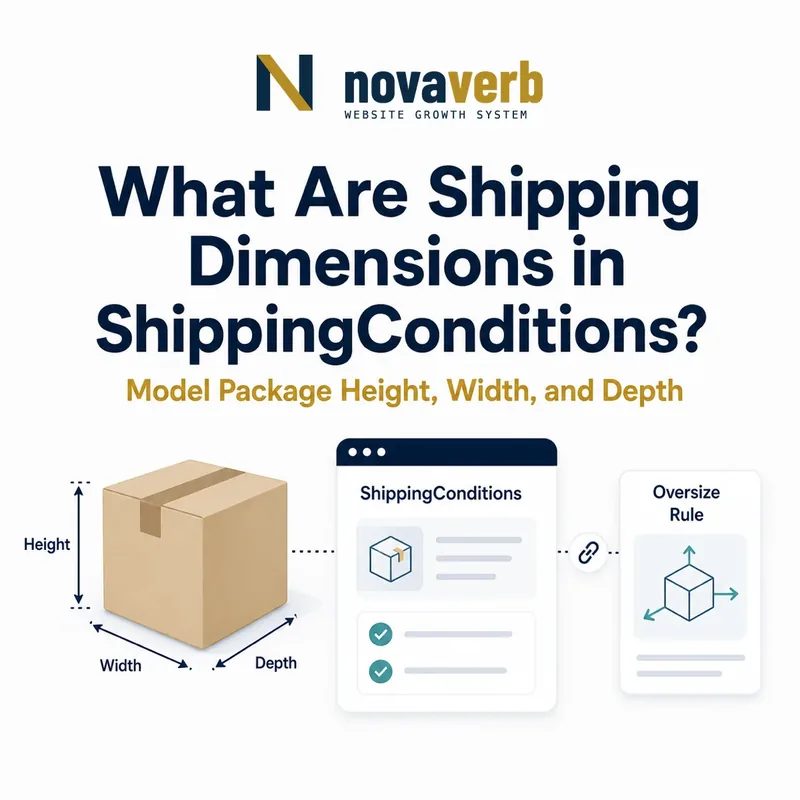
What Are Shipping Dimensions in ShippingConditions?
height, width, and depth are Distance or QuantitativeValue properties that constrain a ShippingConditions rule by physical size.
They can separate standard parcel, oversize, special-handling, freight, and unavailable service cohorts. Each dimension determines when the surrounding rate, time, or exclusion applies; the three properties do not calculate dimensional weight or carrier eligibility automatically.
A useful rule defines the measured package or item, numeric values or ranges, and consistent units. Markup should follow the same packed dimensions and rounding that checkout uses, not an idealized product-only measurement.
- Identify the exact page, asset, entity or relationship described in this section.
- Inspect the live implementation and retain the observed evidence.
- Compare the observation with the intended meaning and its primary specification.
- Correct any mismatch, then retest the live result.
- Record the accountable owner and review date.
| Case | Meaning | Action |
|---|---|---|
| height | Vertical measurement | 12 INH |
| width | Side-to-side measurement | 18 INH |
| depth | Front-to-back measurement | 24 INH |
| Distance | Expected value type | 12 in |
| QuantitativeValue | Structured range | min/max and unit |
- Define the measured object.
- Use explicit units.
- Match checkout dimensions.
Use the free backlink checker to identify linked product pages before changing oversize shipping promises.
Primary specification: Schema.org definition for ShippingConditions.
Shipping dimensions are accurate when the measured size selects exactly the shipments receiving the surrounding rule.
Where Do height, width, and depth Belong?
height, width, and depth belong on ShippingConditions when they constrain a rule, while Product and OfferShippingDetails use the same properties for different size intents.
Product dimensions describe the item. OfferShippingDetails dimensions describe an Offer's shipping detail. ShippingConditions dimensions define the size band in which a rate, delivery time, service, or exclusion applies.
Do not assume product dimensions equal packed shipping dimensions. Boxes, padding, assembly, nesting, and multi-package fulfillment can change each axis. ShippingService reaches the conditional properties through shippingConditions.
- The exact page, asset, entity or relationship covered by this section
- The live implementation rather than an editor-only preview
- The primary specification or first-party record defining the expected behavior
- The validation result, accountable owner and review date
| Case | Meaning | Action |
|---|---|---|
| ShippingConditions | Size threshold | Rule context |
| Product | Item dimensions | Catalog fact |
| OfferShippingDetails | Offer shipping size | Offer context |
| ShippingService → conditions | Reusable policy | Correct path |
- Identify item or package intent.
- Choose the correct parent.
- Add all relevant axes and units.
- Connect destination and outcome.
- Validate the graph.
Review ShippingConditions for the parent rule.
Correct placement distinguishes product size facts from package-size shipping constraints.
Should You Use Distance or QuantitativeValue?
Use Distance or QuantitativeValue according to the source model, with QuantitativeValue preferred when exact numeric fields, minValue, maxValue, unitCode, or unitText need independent validation.
Distance can express a number plus a length unit such as 7 ft. QuantitativeValue can express exact values or ranges. Avoid packing all three axes into one free-text string when separate structured properties are available.
Structured values let audit tools compare thresholds, convert units, and detect missing axes. Keep one representation across catalog, fulfillment, checkout, and markup whenever possible.
- Identify the exact page, asset, entity or relationship described in this section.
- Inspect the live implementation and retain the observed evidence.
- Compare the observation with the intended meaning and its primary specification.
- Correct any mismatch, then retest the live result.
- Record the accountable owner and review date.
| Case | Meaning | Action |
|---|---|---|
| 12 in Distance | Simple exact axis | Valid concise value |
| value 12 + INH | Structured exact axis | Easy comparison |
| 10–20 INH | Structured range | Use min/max |
| 12x18x24 text | Three axes combined | Hard to validate |
- Choose exact values or ranges.
- Keep axes separate.
- Supply explicit units.
- Test rendered serialization.
Dimension data is strongest when each axis, number, range, and unit remain separately machine-readable.
Which Dimension Units Should US Shipping Use?
US shipping rules should use consistent length units, commonly INH for inches or CMT for centimeters, and must convert every axis before comparing thresholds.
Never compare 40 inches with 40 centimeters as if they are equal. FOT can represent feet and MTR meters where appropriate, but parcel systems often need finer precision. UnitText can aid readability while unitCode supports controlled joins.
Normalize to the unit used by the rate engine and preserve source measurements for evidence. Document rounding direction because a fraction above a carrier limit can change service eligibility.
- The exact page, asset, entity or relationship covered by this section
- The live implementation rather than an editor-only preview
- The primary specification or first-party record defining the expected behavior
- The validation result, accountable owner and review date
| Case | Meaning | Action |
|---|---|---|
| INH | Inch | Common US parcel unit |
| CMT | Centimeter | Metric precision |
| FOT | Foot | Large dimensions |
| MTR | Meter | Metric large size |
| Missing unit | Ambiguous number | Reject |
- Select one comparison unit.
- Convert every axis.
- Document precision and rounding.
- Retain original values.
- Test threshold edges.
A dimension threshold is interpretable only when every axis uses explicit and consistently converted units.
How Should Package Orientation Be Handled?
Package orientation should follow the carrier and fulfillment definition of length, width, and height rather than arbitrary product-page labels.
Rotating a rectangular box changes which physical side is called height or width but does not change the set of side lengths. Some carrier rules use the longest side, length plus girth, or axis-specific limits. Structured height, width, and depth alone do not calculate those formulas.
Document the axis assignment in the packaging system. If the same product ships in multiple orientations, use the stable packed configuration or separate package records rather than switching labels between page renders.
- Identify the exact page, asset, entity or relationship described in this section.
- Inspect the live implementation and retain the observed evidence.
- Compare the observation with the intended meaning and its primary specification.
- Correct any mismatch, then retest the live result.
- Record the accountable owner and review date.
| Case | Meaning | Action |
|---|---|---|
| Longest side | May be carrier length | Define mapping |
| Rotated box | Axes relabeled | Keep consistent convention |
| Length plus girth | Derived carrier rule | Calculate in authority |
| Multiple packages | Each box differs | Avoid one aggregate cube |
| Assembled vs flat-pack | Different dimensions | Use shipped state |
- Measure the packed state.
- Define axis convention.
- Store per-package dimensions.
- Apply carrier formulas outside markup.
Dimension markup remains stable when axis names map consistently to the real packed configuration.
How Do Dimensions Affect Dimensional Weight?
Dimensions affect dimensional weight through carrier-specific volume formulas, but height, width, and depth do not calculate or declare billable weight by themselves.
A lightweight bulky package may be charged using dimensional weight, while a dense package uses actual weight. Divisors, rounding, service levels, and package rules vary. The checkout rate engine remains the authority for selecting billable weight.
Publish accurate packed dimensions and actual weight as separate evidence. Test dense, bulky, flat-pack, and multi-package products. Never label a calculated billing weight as actual physical weight.
- The exact page, asset, entity or relationship covered by this section
- The live implementation rather than an editor-only preview
- The primary specification or first-party record defining the expected behavior
- The validation result, accountable owner and review date
| Case | Meaning | Action |
|---|---|---|
| Light bulky box | Dimensional may govern | Use packed axes |
| Dense compact box | Actual weight may govern | Use scale value |
| Wrong divisor | False rate | Keep carrier configuration |
| Rounded dimensions | Boundary shift | Match checkout |
| Several boxes | Per-package formula | Do not aggregate naively |
- Capture packed dimensions.
- Capture actual weight.
- Apply current carrier formula.
- Preserve measurement meaning.
Compare weight in ShippingConditions for actual and billable measurement distinctions.
Dimensional billing is accurate when package dimensions feed the same carrier calculation used by checkout.
How Do Dimensions Define Oversize and Freight Rules?
Dimension thresholds can select oversize, special-handling, freight, or unavailable conditions when one or more packed axes exceed parcel-service limits.
A package can be light yet oversize because its longest side or girth exceeds a threshold. Another can fit parcel dimensions but require freight because of weight. Size and mass must be evaluated independently and then resolved together.
Use min/max ranges for each relevant axis and preserve service-specific rules. Test values immediately below, at, and above each carrier limit, including rounding and packaging changes.
- Identify the exact page, asset, entity or relationship described in this section.
- Inspect the live implementation and retain the observed evidence.
- Compare the observation with the intended meaning and its primary specification.
- Correct any mismatch, then retest the live result.
- Record the accountable owner and review date.
| Case | Meaning | Action |
|---|---|---|
| All axes below limits | Standard parcel | Base service |
| One side over limit | Oversize handling | Special rate |
| Girth over limit | Carrier restriction | Derived formula |
| Large and heavy | Freight | Combined conditions |
| Destination lacks freight | doesNotShip | Route exclusion |
- Define parcel size limits.
- Model relevant axes.
- Combine weight and destination.
- Test boundary packages.
Oversize rules are trustworthy when every package boundary resolves to one verified parcel, freight, or exclusion outcome.
What Shipping Dimension Mistakes Are Common?
Common mistakes include missing units, mixed inches and centimeters, product dimensions used instead of packed size, swapped axes, incomplete dimension sets, stale packaging, multi-package aggregation, and checkout mismatches.
Other defects include ignoring dimensional billing, rounding down across a carrier limit, applying one variant's box to every Offer, and assuming syntactically valid dimensions prove service eligibility.
Dimension defects often begin in catalog or packaging masters. Repair the authoritative package record and rate configuration, then regenerate affected shipping conditions.
- The exact page, asset, entity or relationship covered by this section
- The live implementation rather than an editor-only preview
- The primary specification or first-party record defining the expected behavior
- The validation result, accountable owner and review date
| Case | Meaning | Action |
|---|---|---|
| No unit | Ambiguous size | Add unit |
| Item size used | Understated package | Use packed dimensions |
| Axes swapped inconsistently | Audit conflicts | Define convention |
| Variant inheritance | Wrong box | Validate each Offer |
| Old packaging | Stale rate | Sync package master |
- Extract every axis and parent.
- Normalize units for analysis.
- Find missing and inconsistent axes.
- Compare checkout packages.
- Repair the source.
Shipping-dimension defects require axis, unit, packaging, formula, service, and checkout validation together.