
What Is a Resource Page Backlink?
Resource pages often use titles such as useful links, recommended tools, learning resources, support services or further reading. The label alone does not establish quality: some pages are actively maintained, while others are abandoned, indiscriminate or created mainly to exchange links.
Inspect the exact source page, its audience and selection logic. A placement may be editorial, submitted, partner-based or sponsored depending on the real relationship, so classify that relationship separately.
- Curated list with a stated purpose
- Defined audience or topic
- Links to external useful destinations
- Visible selection or organization logic
- Maintained source page
- Relevant destination fit
- Verifiable placement relationship
- Identify the exact page, asset, entity or relationship described in this section.
- Inspect the live implementation and retain the observed evidence.
- Compare the observation with the intended meaning and its primary specification.
- Correct any mismatch, then retest the live result.
- Record the accountable owner and review date.
| Resource-page element | Question | Evidence |
|---|---|---|
| Audience | Who is the page for? | Introduction and publisher |
| Purpose | What task does it support? | Categories and descriptions |
| Curation | Why are resources included? | Selection pattern |
| Freshness | Is the page maintained? | Working links and updates |
| Destination fit | Does the asset belong? | Direct audience value |
| Relationship | How was placement obtained? | Outreach or agreement history |
Primary specification: Google Search spam policies reference.
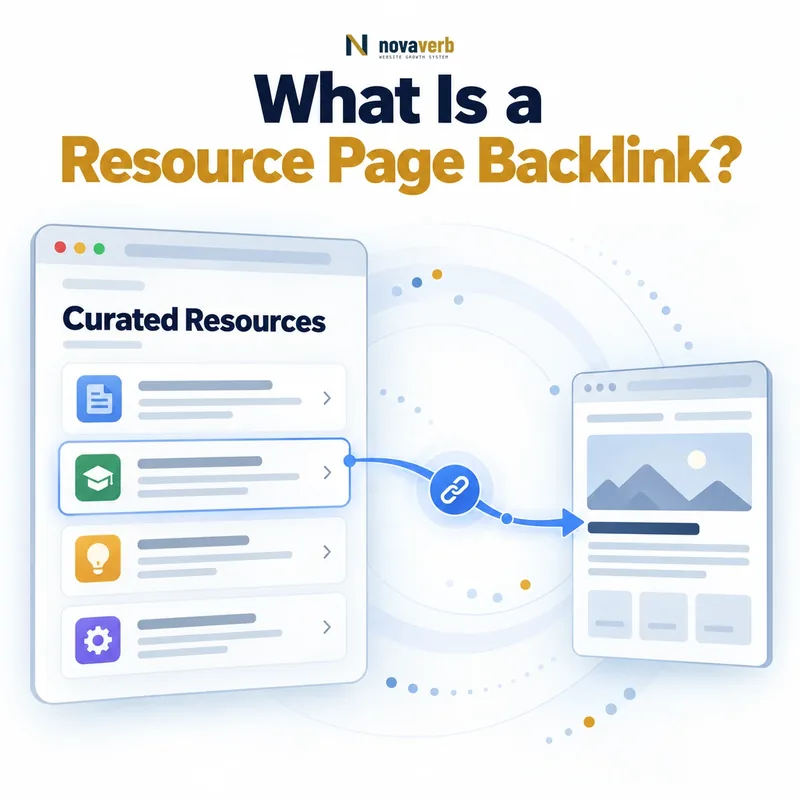
A resource page backlink connects a maintained curated source with a destination that directly advances the page’s audience purpose.
What Do Resource Pages Look Like?
A strong page explains its audience, groups links meaningfully and adds descriptions or context. A weak page may contain hundreds of unrelated URLs, broken destinations, promotional anchors or no discernible editorial purpose.
Resource pages can exist on commercial websites too. Ownership type does not determine legitimacy; examine the page’s actual purpose, maintenance, disclosure and relationship to the listed resources.
- Educational reading lists
- Professional tool collections
- Local service directories
- Nonprofit support resources
- Industry association references
- Government information collections
- Curated templates and calculators
- Further-reading sections
- Identify the exact page, asset, entity or relationship described in this section.
- Inspect the live implementation and retain the observed evidence.
- Compare the observation with the intended meaning and its primary specification.
- Correct any mismatch, then retest the live result.
- Record the accountable owner and review date.
| Resource-page type | Audience need | Typical destination |
|---|---|---|
| Educational | Learn a subject | Guide or dataset |
| Professional | Complete a workflow | Tool or template |
| Local support | Find nearby help | Service or organization |
| Industry association | Access standards and resources | Documentation |
| Nonprofit | Solve a community need | Public service resource |
| Product ecosystem | Use integrations or extensions | Compatible tool |
The best prospects are defined by a coherent audience task rather than by the words resource page in the title.
Resource Page Backlinks vs Editorial Links
If an editor independently adds a useful tool to a curated list, the link can be both resource-page and editorial. If inclusion is sold or exchanged, the source format remains a resource page but the relationship should be classified honestly.
Contextual article citations usually support a specific passage, whereas resource links often support broader discovery. Neither format is automatically stronger; source relevance, audience utility, destination health and relationship evidence determine the decision.
- Source format and relationship are separate
- Editorial control requires evidence
- Submitted listings may still be legitimate
- Sponsored inclusion needs honest classification
- Contextual citations support a passage
- Resource lists support broader discovery
- Identify the exact page, asset, entity or relationship described in this section.
- Inspect the live implementation and retain the observed evidence.
- Compare the observation with the intended meaning and its primary specification.
- Correct any mismatch, then retest the live result.
- Record the accountable owner and review date.
| Dimension | Resource page link | Contextual editorial link |
|---|---|---|
| Source structure | Curated list or hub | Narrative article passage |
| Reader goal | Discover options or references | Verify or expand one point |
| Placement context | Category and description | Surrounding sentences |
| Relationship | Editorial, submitted or commercial | Usually publisher choice, but verify |
| Destination fit | Matches list purpose | Supports exact statement |
| Evaluation | Audience and curation quality | Passage and citation relevance |
Describe the source format and placement relationship independently so a curated listing is not mislabeled by appearance alone.
How Do You Find Resource Page Opportunities?
Use competitor backlink analysis to find curated sources that cite comparable assets, then inspect why each competitor appears. A backlink gap can narrow missing sources but does not prove your asset belongs.
Explore universities, associations, libraries, nonprofit organizations, local programs, specialist publishers and product ecosystems relevant to the destination. Save the exact page rather than only the domain so later qualification retains source context.
- Define the audience and resource category
- List the vocabulary curators use
- Review competitor referring pages
- Explore relevant institutions and associations
- Search topic plus curated-page footprints
- Follow links from trusted resource hubs
- Save exact URLs and page purpose
- Remove duplicates and irrelevant lists
- Verify that the page is currently maintained
- The exact page, asset, entity or relationship covered by this section
- The live implementation rather than an editor-only preview
- The primary specification or first-party record defining the expected behavior
- The validation result, accountable owner and review date
| Discovery route | Useful signal | Common false positive |
|---|---|---|
| Competitor sources | Comparable asset listed | Unrelated competitor relationship |
| Search footprints | Topic plus curated wording | Generic article mentioning resources |
| Associations | Member audience alignment | Members-only commercial page |
| Universities | Learning or support need | Old abandoned department page |
| Local organizations | Geographic service fit | Broad directory without curation |
| Product ecosystems | Compatible user workflow | Mandatory partner placement |
Discovery is successful when it produces exact maintained pages serving the same audience need as your destination.
How Do You Qualify a Resource Page?
Open the page and test several listed links. Read the introduction and category labels, note whether descriptions are informative and check whether the publisher removes stale destinations. A legitimate page can have modest metrics and still be valuable to a narrow audience.
Exclude pages built around indiscriminate exchanges, hidden placements, misleading anchors or unrelated outbound links. Also exclude prospects where your asset would duplicate an existing resource without providing a meaningful improvement.
- Open the exact source URL
- Identify publisher and intended audience
- Confirm the category matches your asset
- Test a sample of outbound resources
- Check freshness and broken-link patterns
- Review descriptions and selection logic
- Look for disclosure or submission policies
- Assess destination differentiation
- Classify fit, confidence and next action
- The exact page, asset, entity or relationship covered by this section
- The live implementation rather than an editor-only preview
- The primary specification or first-party record defining the expected behavior
- The validation result, accountable owner and review date
| Qualification factor | Strong evidence | Reason to exclude |
|---|---|---|
| Audience fit | Same task and user group | Only broad topical overlap |
| Legitimacy | Identifiable maintained publisher | Deceptive or anonymous network |
| Curation | Useful descriptions and grouping | Indiscriminate URL dump |
| Freshness | Working current resources | Mostly broken or abandoned |
| Inclusion fit | Asset adds distinct value | Duplicate with no improvement |
| Relationship | Transparent legitimate path | Required exchange or hidden payment |
A qualified resource page has a real audience, coherent curation and a legitimate reason to include your specific asset.
What Assets Earn Resource Page Links?
Use a linkable asset with a stable URL and visible value. A generic homepage or sales page rarely fits a learning-resource list unless the page is specifically curating organizations or providers.
Review existing entries to understand format and depth, then state what your asset adds: new data, a narrower audience, accessible delivery, a free workflow, current examples or stronger methodology. Do not copy another resource merely to enter the same list.
- Free calculators and checkers
- Templates and practical worksheets
- Original datasets and research
- Definitive reference guides
- Public documentation
- Local or community services
- Accessible educational materials
- Maintained resource libraries
- Identify the exact page, asset, entity or relationship described in this section.
- Inspect the live implementation and retain the observed evidence.
- Compare the observation with the intended meaning and its primary specification.
- Correct any mismatch, then retest the live result.
- Record the accountable owner and review date.
| Asset | Inclusion reason | Readiness check |
|---|---|---|
| Free tool | Completes audience task | Function and outputs work |
| Template | Saves implementation time | Instructions are clear |
| Research | Provides original evidence | Method is documented |
| Guide | Explains a focused need | Examples are current |
| Public service | Supports eligible users | Availability is accurate |
| Documentation | Clarifies implementation | Version remains maintained |
The strongest asset fills a verified audience need and can remain useful long after the curator adds it.
How Do You Pitch a Resource Page?
Check the publisher’s submission policy first. Some pages invite suggestions, some accept only member or local organizations and others are editorially closed. Respect those boundaries and do not disguise a commercial relationship as an independent recommendation.
Point directly to the useful destination, describe how it differs from existing entries and disclose any relevant affiliation. Avoid asking for optimized anchor text; the curator should control description and placement.
- Confirm the page is maintained
- Identify the correct contact or policy
- Name the exact page and category
- Explain the matching audience need
- State the asset’s distinct value
- Provide the stable destination URL
- Disclose material relationships
- Invite independent review
- Send one proportionate follow-up
- Record reply and live outcome
- The exact page, asset, entity or relationship covered by this section
- The live implementation rather than an editor-only preview
- The primary specification or first-party record defining the expected behavior
- The validation result, accountable owner and review date
| Pitch element | Effective approach | Avoid |
|---|---|---|
| Context | Exact page and category | Generic domain praise |
| Value | One clear user benefit | List of product features |
| Evidence | Method, access or example | Unsupported superlative |
| Destination | Direct stable resource | Homepage by default |
| Control | Publisher chooses wording | Requested keyword anchor |
| Follow-up | One useful update | Repeated pressure |
A responsible pitch makes relevance easy to evaluate while preserving the curator’s control over selection, wording and placement.
How Do You Track Resource Page Backlinks?
Use Backlink Checker to discover representative placements and Backlinks Explorer to organize source evidence, lost links and destination changes. Do not treat a provider’s discovery date as the confirmed publication date.
Connect outreach, repairs and asset maintenance through the SEO tools system. Measure qualified referral visits, resource use and assisted outcomes separately from verified link counts.
- Save the exact referring page
- Capture category and surrounding description
- Resolve the final destination
- Record outreach and relationship history
- Verify placement on the live page
- Measure qualified referral activity
- Monitor source and destination health
- Repair moved assets or stale descriptions
- Retest after material updates
- The exact page, asset, entity or relationship covered by this section
- The live implementation rather than an editor-only preview
- The primary specification or first-party record defining the expected behavior
- The validation result, accountable owner and review date
| Tracking field | Why retain it | Action supported |
|---|---|---|
| Source URL | Exact evidence | Live verification |
| Category | Audience context | Fit review |
| Description or anchor | Publisher framing | Message analysis |
| Destination chain | User outcome | Repair |
| Relationship history | Honest classification | Audit |
| Verification date | Evidence freshness | Retest |
| Referral outcome | Business usefulness | Prioritization |
Tracking is complete when exact source evidence, relationship history, destination health and audience outcomes remain connected.