
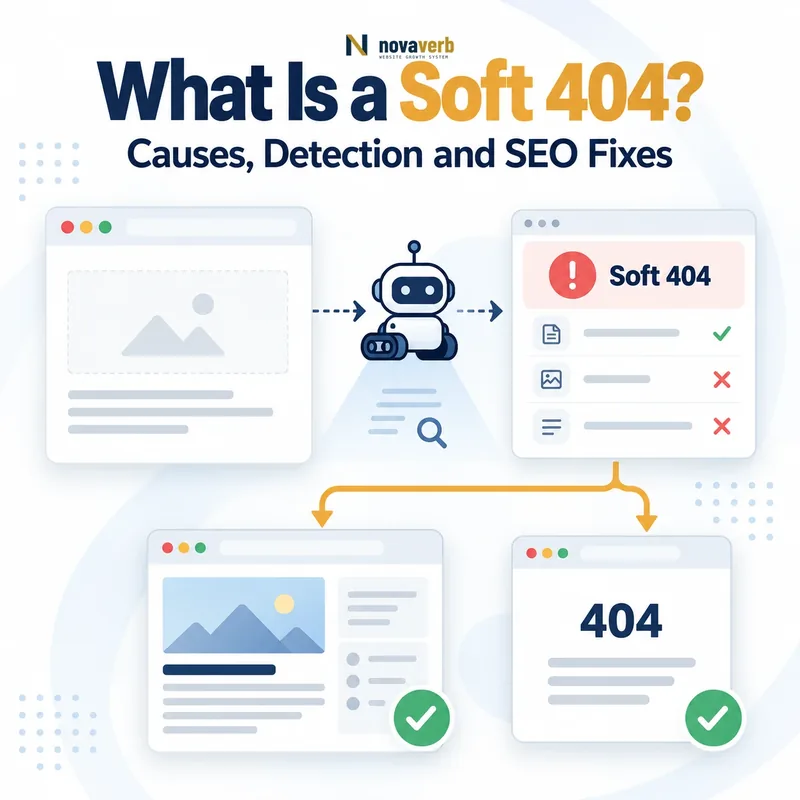
A soft 404 is a URL that appears to contain no valid resource but returns a successful or otherwise misleading HTTP response instead of a true 404 Not Found or 410 Gone status. Common examples include missing-page messages returning 200 OK, empty product templates, blank application routes and irrelevant redirects to the homepage.
Requested URL:
https://example.com/missing-page/

Visible content:
“Sorry, this page does not exist.”

Server response:
HTTP/1.1 200 OK

Result:
The page behaves like a missing resource
but reports a successful response.
Soft 404 is not an official HTTP status code. It is a classification used when the server response and the actual resource state do not agree.
Use Crawl Explorer to compare HTTP status, rendered content, extractable text, internal links and URL patterns across a complete website.
What Does Soft 404 Mean?
Soft 404 means that a URL technically reports success or another misleading outcome even though the requested resource is missing, empty or unavailable. The term describes a mismatch between protocol-level status and page-level meaning.
A soft 404 usually contains four elements:
- A valid request: A browser or crawler requests a specific URL.
- A misleading status: The server returns
200 OKor another response that does not accurately represent absence. - No valid resource: The body contains an error message, empty template, placeholder or irrelevant destination.
- Inferred failure: A crawler or audit system concludes that the resource is effectively missing.
The word “soft” indicates that the missing state is inferred from content or behavior rather than explicitly declared through an HTTP 404 response.
How Does a Soft 404 Work?
A soft 404 occurs when the server processes an invalid or unavailable resource as though it were a normal page. The client receives a successful response, while the body or destination indicates that the requested content is absent.
- A browser or crawler requests a URL.
- The application fails to locate a meaningful resource.
- The system renders an error template, empty shell or generic page.
- The server still returns
200 OKor an irrelevant redirect. - The crawler evaluates the response body and infers that the resource is missing.
URL requested
→ Server returns 200 OK
→ Page body says “not found”
→ No unique main content exists
→ Search engine classifies the URL as a soft 404
The same problem can occur after a redirect when many missing URLs are sent to one generic homepage, category or error template that does not replace the requested resource.
Why Is It Called a Soft 404?
It is called a soft 404 because the URL behaves like a missing page without returning the official HTTP 404 status. The failure is recognized through interpretation rather than an explicit protocol response.
The distinction can be summarized as follows:
- Hard 404: The server explicitly returns
404 Not Found. - Soft 404: The server returns success or another misleading response, but the resource is effectively missing.
- Inferred classification: A search engine or audit tool evaluates the content and decides that the URL functions like an error page.
Soft 404 therefore describes observed behavior, not a new status code added to HTTP.
What Causes a Soft 404?
Soft 404s are commonly caused by incorrect error handling, empty CMS templates, client-side routing, irrelevant redirects and pages that lack an identifiable main resource.
| Cause | What the system returns | Why it can become a soft 404 |
|---|---|---|
| Error page returns 200 | A “not found” message with 200 OK |
The protocol reports success for a missing resource. |
| Empty product template | Header, footer and no product details | No valid product resource remains. |
| Client-side route failure | An application shell with an error after rendering | The server never returns the correct missing status. |
| Homepage redirect | Missing URLs redirect to the domain root | The destination does not replace the requested resource. |
| Empty search results | A crawlable page with no matching items | The URL may have no durable standalone value. |
| Placeholder content | “Coming soon” or generic filler | No useful resource is currently available. |
| Broken database lookup | A normal template without record data | The application fails to distinguish a missing record. |
| Localization failure | A blank language template | The localized URL lacks actual content. |
The same template may produce thousands of soft 404s when a routing or CMS rule fails across an entire URL pattern.
Soft 404 vs Real 404
A real 404 returns the correct 404 Not Found status. A soft 404 appears missing but returns success or another response that fails to describe the resource accurately.
| Dimension | Soft 404 | Real 404 |
|---|---|---|
| Official HTTP status | No dedicated status exists | 404 Not Found |
| Typical server response | 200 OK or irrelevant redirect |
404 Not Found |
| Resource state | Missing or effectively empty | Explicitly not found |
| Detection | Inferred from content and behavior | Read directly from the response |
| Preferred action | Align status and content | Keep when no relevant resource exists |
Review the complete missing-page framework in What Is a 404 Error?.
Soft 404 vs 410 Gone
A soft 404 reports the wrong response for an unavailable resource. A 410 explicitly reports that a known resource was intentionally removed and is not expected to return.
| Dimension | Soft 404 | 410 Gone |
|---|---|---|
| Status accuracy | Inaccurate or misleading | Explicit and intentional |
| Typical status | Often 200 OK |
410 Gone |
| Resource state | Effectively missing | Permanently removed |
| Publisher certainty | Not expressed correctly | Permanent removal is known |
| Preferred correction | Return an accurate status or restore content | Keep when permanent retirement is truthful |
Review permanent removal in What Is a 410 Gone Status?.
Soft 404 vs Empty Page
An empty page can become a soft 404 when it returns success but contains no identifiable main resource. However, not every visually sparse page is invalid.
A valid sparse page may still provide:
- A clear title and unique purpose
- A functioning tool or interactive control
- A specific account, order or transaction state
- A useful confirmation or completion message
- A real downloadable asset
- A unique record rendered after user interaction
An empty page becomes suspicious when only global navigation, footer content, boilerplate or a blank application shell remains.
Soft 404 vs Thin Content
Thin content is a quality issue involving limited usefulness, originality or depth. A soft 404 is a resource-state issue in which the URL effectively provides no valid resource despite reporting success.
| Dimension | Soft 404 | Thin content |
|---|---|---|
| Core issue | The requested resource is effectively absent | The resource exists but may offer limited value |
| HTTP status | Often misleadingly successful | Can correctly return 200 |
| Main content | Missing, empty or error-like | Present but weak, repetitive or incomplete |
| Correct action | Align status, restore content or redirect appropriately | Improve, consolidate or remove based on value |
| Word count test | Not sufficient | Also not sufficient |
A short calculator, definition or contact page can be valid when it performs a clear function. A long page can still be a soft 404 when most text is boilerplate and the requested record is missing.
Soft 404 vs Redirect
A redirect is valid when the destination genuinely replaces or temporarily serves the requested resource. It can behave like a soft 404 when the destination is generic, unrelated or unable to satisfy the original intent.
| Situation | Likely interpretation | Preferred action |
|---|---|---|
| Old article redirects to its new slug | Valid permanent redirect | Keep the direct 301 |
| Removed product redirects to an equivalent successor | Potentially valid replacement | Verify intent and product equivalence |
| Every missing URL redirects to the homepage | Soft-404-like behavior | Return 404 or use specific replacements |
| Missing article redirects to an unrelated category | Misleading destination | Keep 404 unless a close replacement exists |
| Temporary maintenance redirects to a status page | Valid temporary routing | Use an appropriate temporary status |
Review permanent replacement rules in What Is a 301 Redirect?.
How Does Google Detect Soft 404s?
Google can compare the HTTP response with the page’s visible and rendered content to determine whether a supposedly successful URL actually provides a valid resource.
Potential signals can include:
- Error language such as “not found,” “unavailable” or “no results”
- No meaningful main content after rendering
- A page body closely matching the site’s normal error template
- Many URLs returning substantially the same empty response
- A redirect to an unrelated homepage or generic destination
- Missing record identifiers or product information
- Blank application shells
- Very low differentiation from boilerplate
Google does not publish a complete detection formula. Classification can therefore involve signals that are not visible in one simple test.
See Google’s official crawling-error guidance.
Are Soft 404s Bad for SEO?
Soft 404s are problematic because they make resource states ambiguous, can consume unnecessary crawling and can prevent valid pages from being understood or indexed correctly. Their impact depends on scale, page importance and the underlying cause.
Potential consequences include:
- Valid pages excluded after being classified as missing
- Missing URLs continuing to return successful responses
- Crawling spent on duplicate empty templates
- Broken product, profile or application routes remaining hidden
- Unreliable status-code reporting in audits
- Confusing user journeys and analytics
- Internal links continuing to promote invalid resources
A few intentional soft-404 classifications in Search Console may not require action when the URLs genuinely should not be indexed. The underlying implementation should still be reviewed for accuracy.
Do Soft 404s Waste Crawl Budget?
Soft 404s can contribute to crawl inefficiency when a website exposes large numbers of successful-looking URLs that contain no meaningful resource. Occasional isolated cases are less important than repeatable URL-generation patterns.
High-scale sources include:
- Faceted combinations with no matching products
- Internal-search pages for unlimited queries
- Calendar URLs for empty dates
- Deleted user profiles returning empty templates
- Malformed pagination returning 200
- JavaScript routes that never return server errors
- Parameter variations redirected to the homepage
- Localized URLs without translated content
The most effective fix is to stop exposing invalid URL spaces and return accurate responses, not merely hide each URL after it is discovered.
Review the wider capacity model in What Is Crawl Budget?.
Why Does Google Search Console Report Soft 404?
Search Console reports soft 404 when Google believes a URL does not provide a valid resource even though the server did not return a standard 404 or 410 response.
Review the reported URL in this order:
- Check the live HTTP response.
- Inspect the rendered main content.
- Compare it with the site’s normal error template.
- Determine whether the requested record truly exists.
- Check redirects and final destinations.
- Review internal links and sitemap membership.
- Decide whether the URL should be valid, redirected or missing.
A Search Console classification is a diagnostic outcome, not an instruction to add more words automatically. The correct response depends on the intended resource state.
Can a Valid Page Be Misclassified as a Soft 404?
Yes. A valid page can be classified as a soft 404 when its main resource is difficult to identify, unavailable during rendering or too similar to an error template.
Possible causes include:
- Main content requires JavaScript that failed during crawling.
- The page contains mostly boilerplate and little record-specific information.
- Error-like wording appears prominently despite a valid resource.
- A tool or form renders no default explanation before interaction.
- The page depends on blocked APIs or assets.
- Server responses vary by user agent, region or cookie.
- The content appears only after authentication.
- The page shares the same title and body as missing-resource templates.
Strengthen the page by making its identity, purpose and main resource visible in the initial or reliably rendered response. Fix blocked dependencies and inconsistent routing before adding filler copy.
How Do JavaScript Sites Create Soft 404s?
JavaScript sites create soft 404s when the server returns the same successful application shell for every route and the client later renders an error without changing the HTTP response.
- The server receives an invalid route.
- It returns the normal application shell with
200 OK. - JavaScript requests data for the route.
- The data request fails or returns no matching record.
- The application displays a not-found message.
- The original document still reports success.
Preferred solutions include server-side route handling, server rendering with a real 404 response or redirecting the client to a dedicated URL that returns 404 from the server.
noindex directive on the rendered error page can prevent indexing, but server-level status handling remains clearer.
See Google’s JavaScript SEO guidance.
How Should Product Pages Handle Missing Items?
Product pages should reflect the real commercial state instead of returning an empty successful template. Keep, redirect or retire the URL according to whether the product may return and whether a genuine successor exists.
| Product state | Preferred response | Required page behavior |
|---|---|---|
| Temporarily out of stock | Keep 200 OK |
Show product details, availability status and next action. |
| Discontinued but useful for support | Keep a valid archive page | Provide specifications, manuals or replacement guidance. |
| Replaced by an equivalent successor | Consider a relevant 301 | Confirm that the successor satisfies the same buying need. |
| Permanently removed without replacement | Return 404 or 410 | Remove the URL from internal links and sitemaps. |
| Database record fails to load | Return an accurate error or restore data | Do not serve an empty product template as successful. |
A page that retains only a title, global template and “product unavailable” message may be interpreted as missing when no product-specific information or useful next step remains.
How Should Internal Search Pages Handle No Results?
A no-results search page can return 200 for the user interaction, but it usually should not become an indexable landing page unless it provides durable, useful and differentiated content.
A useful no-results experience can include:
- The submitted query shown clearly
- Spelling corrections
- Broader category suggestions
- Related popular searches
- A route back to navigation
- A clear statement that no match was found
For crawl management, avoid exposing unlimited search-query URLs through internal links or sitemaps. Consider noindex for search-result pages that should remain usable but not appear in search engines.
How Do You Find Soft 404s?
Find soft 404s by combining Search Console reports with crawling, rendered-content inspection, extractable-text analysis, template comparison and server-log evidence.
| Evidence source | What it reveals | What to verify next |
|---|---|---|
| Google Search Console | URLs Google classified as soft 404 | Live status and rendered resource |
| Website crawl | 200 URLs with low or repeated content | Whether each URL represents a real resource |
| Rendered-page inspection | Error messages or blank application shells | Whether JavaScript dependencies failed |
| Template similarity | Many URLs matching the error-page body | Routing and CMS behavior |
| Server logs | Repeated requests to invalid successful URLs | Discovery source and request frequency |
| Internal-link analysis | Active pages promoting empty destinations | Link repair or URL restoration |
Group findings by template, directory, parameter pattern, CMS content type and intended resource state. Pattern-level diagnosis is more scalable than treating every URL as an isolated error.
Use Crawl Explorer to filter status, content identity, extractable text and internal-link evidence across the full crawl.
How Do You Fix a Soft 404?
Fix a soft 404 by determining whether the URL should provide a valid resource, move to a replacement or remain unavailable. Then align the HTTP response, content and internal signals with that decision.
| Intended state | Correct action | Verification |
|---|---|---|
| The resource should exist | Restore data, content, rendering or application functionality | Page returns 200 with an identifiable main resource |
| The resource never existed | Return 404 | Server and visible page both indicate not found |
| The resource was permanently retired | Return 404 or 410 | URL is absent from internal links and sitemaps |
| The resource moved permanently | Return a relevant 301 redirect | Source points directly to the true replacement |
| The page is valid but unclear | Expose its purpose, identity and main resource reliably | Rendered output contains specific usable content |
| The application cannot return 404 | Route to a real 404 URL or use noindex on the error state | Error URL does not remain indexable as a normal page |
After the fix, test the live response, rendered page, canonical, indexability, internal links and sitemap. A CMS configuration change is not completion until the resulting URL behavior is verified.
Common Soft 404 Mistakes
The most common soft 404 mistakes return 200 for missing resources, redirect every invalid URL to a generic page or try to fix valid pages by adding irrelevant text.
| Mistake | Why it fails | Preferred correction |
|---|---|---|
| Error template returns 200 | The response falsely reports success. | Return 404 or 410. |
| Every missing URL redirects home | The homepage does not replace each resource. | Use specific redirects or honest errors. |
| Adding filler copy | More words do not create a valid resource. | Restore the actual content or function. |
| Ignoring JavaScript rendering | The source status can differ from the rendered result. | Test both server and rendered states. |
| Keeping empty pages in sitemaps | The site continues submitting invalid resources. | Remove missing URLs from sitemap output. |
| Leaving internal links active | The website repeatedly exposes the empty destination. | Update, remove or replace the links. |
| Returning 404 for valid tools | A functional resource is misclassified as missing. | Keep 200 and expose clear functionality. |
| Using noindex without fixing routing | The underlying empty URL space remains crawlable. | Repair URL generation and error handling. |
| Redirecting to a broad category | The category may not satisfy the original intent. | Verify replacement relevance first. |
| Closing the task without recrawling | The live response may still be unchanged. | Capture fresh post-fix evidence. |
Soft 404 Checklist
A soft 404 passes QA when the live status, rendered content and intended resource state agree, and all internal signals support the correct final decision.
- The exact URL is recorded.
- The first HTTP response is captured.
- The final response is captured.
- The rendered page is inspected.
- The main resource is identified.
- Extractable main content is reviewed.
- The page is compared with the error template.
- The intended resource state is documented.
- A valid page is not judged by word count alone.
- Missing resources return 404 or 410.
- Moved resources use a relevant redirect.
- Valid resources return a successful response.
- JavaScript dependencies load correctly.
- Server and rendered states agree.
- The URL does not redirect to an unrelated homepage.
- The destination preserves the original intent.
- Internal links use the correct final URL.
- Sitemaps exclude missing resources.
- Canonicals do not point to empty pages.
- Hreflang does not reference soft 404s.
- Structured data describes a real resource.
- Error templates do not return 200.
- URL-generation patterns are corrected.
- Search Console examples are rechecked.
- A fresh crawl verifies the fix.
Frequently Asked Questions About Soft 404s
What is a soft 404?
Is soft 404 an HTTP status code?
What is the difference between a soft 404 and a real 404?
404 Not Found. A soft 404 behaves like a missing page while returning success or another misleading response.Are soft 404s bad for SEO?
Does a low word count cause a soft 404?
Can a homepage redirect be a soft 404?
Can a valid page be classified as a soft 404?
How do JavaScript sites create soft 404s?
Should an out-of-stock product return 404?
Should an empty page return 404?
How do I fix a Search Console soft 404?
How can I find soft 404s across a website?
Verify the Response, Content and Intended Resource
A successful response does not prove that a valid page exists. Compare the HTTP status with the rendered main content, URL purpose, internal links and sitemap state before deciding whether the page should remain successful, return an error or redirect.
Use Crawl Explorer to identify successful URLs with missing or repeated content. Use Site Health Audit to prioritize the affected templates and verify that corrections remain fixed on the next crawl.
Novaverb connects status codes, rendered content, extractable text, internal links and sitemap evidence so teams can distinguish a valid sparse page from a missing resource disguised as success.
Use the Decision Ladder to decide whether the URL should be restored, strengthened, redirected or retired according to the user’s next required action.