
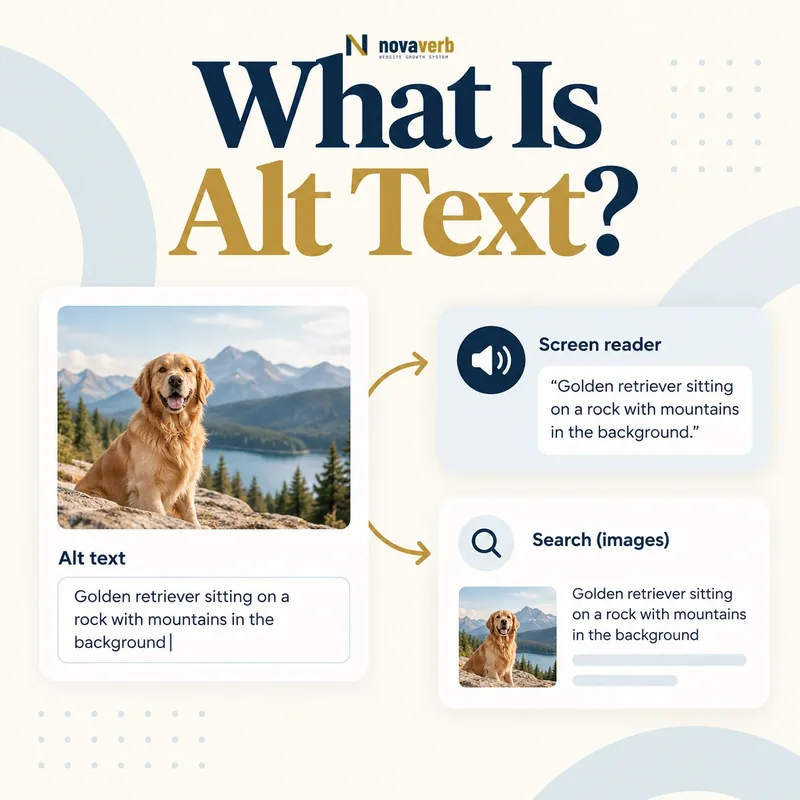
What Is Alt Text?
alt attribute so its meaning or function remains available when the image cannot be seen.A screen reader can announce this text to someone who does not perceive the image visually. A browser may expose it when the file fails to load. Search systems can use it as one contextual input when interpreting the relationship between an image and its page.
Alt text is not a visible caption, filename, hover tooltip or hidden keyword field. It belongs to the specific use of the image on that page. The same photo may require different alternatives when it functions as a product example, a linked button or a decorative background.
- Identify the exact page, asset, entity or relationship described in this section.
- Inspect the live implementation and retain the observed evidence.
- Compare the observation with the intended meaning and its primary specification.
- Correct any mismatch, then retest the live result.
- Record the accountable owner and review date.
| Element | Where it appears | Primary role |
|---|---|---|
| Alt attribute | Inside the img element | Text alternative |
| Caption | Visible beside the image | Add reader-facing context |
| Filename | Image URL path | Asset identity and management |
| Title attribute | Optional hover-style metadata | Supplemental, not a replacement |
| Nearby copy | Page content around image | Explain relationship and detail |
| Long description | Visible or linked explanation | Handle complex visual information |
- Describe meaning or function, not every pixel.
- Use an empty alt for purely decorative images.
- Let nearby copy carry complex detail.
Primary specification: W3C Web Accessibility Initiative image guidance.
Alt text preserves an image’s meaningful contribution in words, based on what the image does in its current context.
Why Is Alt Text Important?
When an image carries information, omitting its alternative can remove that information from a nonvisual experience. A linked image without useful alt text may leave the destination unclear. An unlabeled product color, chart result or instructional screenshot can block a task even when the rest of the page is accessible.
For SEO, accurate alternatives help connect an asset with the page topic, but relevance comes from the complete page: visual content, heading, caption, filename, surrounding copy and technical delivery. Stuffing terms into alt attributes harms clarity and cannot replace a useful image or page.
- The exact page, asset, entity or relationship covered by this section
- The live implementation rather than an editor-only preview
- The primary specification or first-party record defining the expected behavior
- The validation result, accountable owner and review date
| Audience or system | Value of good alt text | Failure from poor alt text |
|---|---|---|
| Screen-reader user | Receives image meaning or action | Important information disappears |
| Image-disabled user | Understands missing visual | Blank or cryptic space remains |
| Search interpretation | Gets relevant image context | Ambiguous or manipulative signal |
| Content editor | Maintains clear asset purpose | Images reused without context |
| Quality reviewer | Can test visual equivalence | No standard for acceptance |
- Identify what the image contributes.
- Decide whether it is meaningful, functional or decorative.
- Write the smallest complete alternative.
- Test it within the surrounding page.
Alt text matters most as an accessibility requirement and earns SEO value by describing real visual meaning accurately.
How Do You Write Good Alt Text?
Start with the page purpose. Include details that change the reader’s understanding or decision, such as a product model, visible color, chart trend or interface state. Omit details that add no value. Punctuation can help screen-reader phrasing, while sentences are appropriate when the visual conveys a complete finding.
Avoid opening with “image of” unless the medium itself matters, and avoid repeating a caption verbatim. Do not insert words merely because they are search targets. If a description becomes long, move the detailed explanation into visible text and keep the alt attribute focused.
- Identify the exact page, asset, entity or relationship described in this section.
- Inspect the live implementation and retain the observed evidence.
- Compare the observation with the intended meaning and its primary specification.
- Correct any mismatch, then retest the live result.
- Record the accountable owner and review date.
| Writing decision | Good approach | Weak approach |
|---|---|---|
| Context | Describe what matters here | List every visible object |
| Length | Use the shortest complete wording | Meet an arbitrary character target |
| Keywords | Include natural relevant names | Add repeated search variants |
| Opening | State content directly | Begin every line with image of |
| Caption overlap | Complement visible caption | Repeat it word for word |
| Complexity | Summarize and link to detail | Pack an entire report into alt |
- Read the paragraph without the image.
- Add only the missing essential meaning.
- Review language in the rendered page context.
Good alt text is context-specific, concise, accurate and sufficient to preserve the image’s purpose.
What Are Good Alt Text Examples?
For a product page, “Black waterproof hiking boot, left side” distinguishes the visible variant. For an article chart, “Organic signups increased from 420 in January to 690 in June” communicates the result. For a screenshot, “Crawl report filtered to pages returning 404” names the interface state that supports the instruction.
The same words are not reusable everywhere. A team photograph on an About page may identify named people, while the same crop used as a decorative banner should have an empty alt attribute. A logo linking home needs a destination or brand alternative; an adjacent visible brand name may make repetition unnecessary depending on the link content.
- The exact page, asset, entity or relationship covered by this section
- The live implementation rather than an editor-only preview
- The primary specification or first-party record defining the expected behavior
- The validation result, accountable owner and review date
| Image context | Useful alt example | Why it works |
|---|---|---|
| Product variant | Red linen shirt, front view | Names item, color and view |
| Trend chart | Trial conversions fell 12% after May | States the visual conclusion |
| Instruction screenshot | Export menu with CSV selected | Identifies relevant interface state |
| Linked logo | Novaverb home | Communicates link destination |
| Author portrait | Maya Chen, technical editor | Identifies the person when relevant |
| Decorative texture | alt="" | Removes meaningless announcement |
- Name the relevant subject.
- Add the distinguishing state or detail.
- State the conclusion for data visuals.
- Remove wording already supplied nearby.
An example is good only when it substitutes for the actual role of that image on that particular page.
When Should Alt Text Be Empty?
alt="" - when an image is purely decorative or its information is completely redundant with adjacent accessible content.An empty attribute tells assistive technology that the image can be skipped. Omitting the attribute is different: some tools may announce the filename or treat the image as unlabeled. Decorative dividers, background flourishes and repeated icons beside visible text are common empty-alt candidates.
Do not label an image decorative merely because writing its alternative is difficult. A chart, product photo, warning icon, instructional screenshot or linked image usually conveys meaning or function. If a complex visual already has a complete nearby explanation, the alt text can be brief and point conceptually to that explanation rather than restating every value.
- Identify the exact page, asset, entity or relationship described in this section.
- Inspect the live implementation and retain the observed evidence.
- Compare the observation with the intended meaning and its primary specification.
- Correct any mismatch, then retest the live result.
- Record the accountable owner and review date.
| Image case | Alt decision | Reason |
|---|---|---|
| Decorative border | Empty | No information |
| Icon beside identical button text | Empty | Accessible name already present |
| Spacer or tracking pixel | Empty | No reader value |
| Product photo | Describe | Visual attributes affect decision |
| Chart | Summarize | Data conclusion matters |
| Image-only link | Describe action or destination | Link needs an accessible name |
| Repeated avatar with visible name | Often empty | Name may already label the item |
- Always include the alt attribute on img elements.
- Distinguish empty from missing.
- Judge redundancy in the complete accessible context.
Use empty alt only when removing the image from a nonvisual reading would remove no information and no action.
How Should Product, Chart and Screenshot Alt Text Differ?
Product alternatives should identify the item and only the visible variation that matters: color, angle, material or included component. Gallery images can distinguish front, back, detail and in-use views. Avoid copying a long product title into every image because repeated announcements reduce usefulness.
Charts require more than “bar chart.” State the trend or comparison and place detailed values in a nearby table when they matter. Screenshots should identify the application area, selected control or observed result. Sensitive account details should be removed from the image itself, not merely omitted from its alt text.
- The exact page, asset, entity or relationship covered by this section
- The live implementation rather than an editor-only preview
- The primary specification or first-party record defining the expected behavior
- The validation result, accountable owner and review date
| Visual type | Include | Usually omit |
|---|---|---|
| Product hero | Product, variant and view | Marketing adjectives not visible |
| Product detail | Specific material or feature shown | Full catalog title repetition |
| Chart | Metric, direction and key comparison | Every decorative axis treatment |
| Map | Destination or route conclusion | Every road name unless needed |
| Screenshot | Interface, state and relevant control | Unrelated navigation chrome |
| Infographic | Core conclusion plus visible detail path | Entire graphic transcribed in one attribute |
- Identify the user’s task.
- Select only task-relevant visual facts.
- Write a concise alternative.
- Add visible long-form detail where required.
Match the alternative to the visual task: choosing a product, understanding data or completing an interface step.
How Does Alt Text Affect Image SEO?
A specific, accurate alternative helps connect the visual with the page’s subject. It can also make the page more usable, which is valuable independently of search traffic. The strongest opportunities occur when an image is genuinely useful for a visual query, such as a product, diagram, location, example or process.
Do not rewrite alternatives to chase every keyword variation. Review the broader Image SEO workflow: crawlable image URLs, stable responses, responsive sizing, modern formats, dimensions and relevant surrounding copy. Image delivery can also influence Largest Contentful Paint and Cumulative Layout Shift.
- Identify the exact page, asset, entity or relationship described in this section.
- Inspect the live implementation and retain the observed evidence.
- Compare the observation with the intended meaning and its primary specification.
- Correct any mismatch, then retest the live result.
- Record the accountable owner and review date.
| Signal or factor | Alt text role | Separate requirement |
|---|---|---|
| Image subject | Names meaningful content | Image must actually show it |
| Page relevance | Connects visual to context | Page copy must satisfy intent |
| Accessibility | Provides nonvisual alternative | Controls and reading order also matter |
| Discovery | Adds textual understanding | URL must be crawlable |
| Performance | No direct byte reduction | Sizing, format and loading matter |
| Layout stability | No direct space reservation | Dimensions or aspect ratio required |
- Optimize the whole image-page relationship.
- Keep alternatives truthful and user-centered.
- Measure traffic without sacrificing accessibility.
Alt text supports image SEO most effectively when it describes a useful visual naturally inside a technically sound page.
How Do You Audit Alt Text?
Start with product, landing, article, category and application templates that receive traffic or support revenue. Extract image URL, alt value, link context, caption, nearby text and component type. Automated checks can identify missing attributes, suspicious repetition and empty alternatives, but they cannot decide whether the words preserve meaning.
Perform a human review with images hidden or a screen reader. Confirm image-only links have useful accessible names and decorative assets stay silent. Test localization: translated pages need alternatives in the page language, not copied source-language text. Record defects by shared component so one correction can improve many pages.
- The exact page, asset, entity or relationship covered by this section
- The live implementation rather than an editor-only preview
- The primary specification or first-party record defining the expected behavior
- The validation result, accountable owner and review date
| Audit check | Evidence | Pass condition |
|---|---|---|
| Attribute presence | Rendered img markup | Every image has alt |
| Role classification | Visual and page context | Meaningful, functional or decorative |
| Text quality | Human contextual review | Accurate and concise |
| Link naming | Accessible link output | Destination or action is clear |
| Duplication | Template comparison | No mechanical repeated alternatives |
| Language | Localized rendered page | Alt matches page locale |
| Component scope | CMS or design-system mapping | Shared defect fixed at source |
| Regression | Images hidden or screen-reader test | Page remains understandable |
- Inventory important image components.
- Classify each image role.
- Run automated issue detection.
- Review meaning with images unavailable.
- Fix shared components and retest.
An alt-text audit is complete only when high-value images have contextually correct alternatives and decorative images are intentionally silent.