
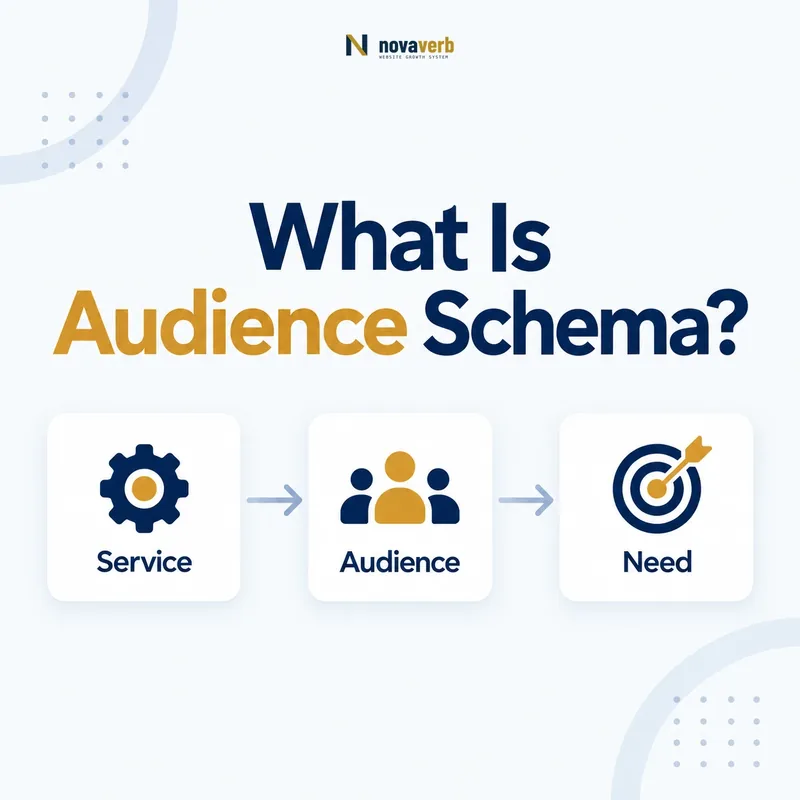
What Is Audience Schema?
Audience schema is a structured-data type for the intended group for whom an item was created, allowing a page to connect content, products, services or events to a clearly described target audience.
Audience is an Intangible type. Its two direct properties are audienceType, a text label for the group, and geographicArea, an AdministrativeArea associated with that group. More specific audience subtypes add fields for business, education, medical or people-focused contexts.
The markup should reflect visible positioning, eligibility or participation information. It is not a hidden advertising persona, a list of every possible visitor or a place to repeat commercial keywords. A page written for US independent retailers may support that audience; a generic page with no targeting language may not.
- Frame the decision raised by What Is Audience Schema.
- Confirm its value type and the object it describes.
- Compare the markup with visible page information.
- Correct the source data or template without inventing values.
- Validate the rendered result and monitor future changes.
| Component | Purpose | Evidence |
|---|---|---|
| Audience | Represents intended group | Who the item was created for |
| audienceType | Names the group | Visible audience wording |
| geographicArea | Scopes the audience region | Visible market or eligibility |
| audience property | Connects item to Audience | Parent-child relationship |
- Describe a real intended group.
- Use the most accurate subtype.
- Keep every claim visible and verifiable.
Audience schema clarifies who an item serves when the page itself provides enough evidence.
Which Types Can Use the audience Property?
The audience property can connect CreativeWork, Event, LodgingBusiness, PlayAction, Product and Service to an Audience value.
The parent type should match the item described on the page. An article or guide is usually a CreativeWork, a webinar is an Event, a software package can be Product, and a consulting engagement can be Service. Audience does not replace the parent entity; it adds who that entity is for.
Do not attach audience globally without checking each parent. A shared template may create syntactically valid but semantically false targeting across pages that serve different groups. Page-specific evidence should control whether the relationship renders.
- Evidence for Which Types Can Use the audience Property: the live structured-data entity and property relationship
- The expected value type and any nested object
- Visible page information that supports the structured value
- Related offer or catalog fields needed for interpretation
- A fresh validation result after the page changes
| Parent type | Audience use | Example |
|---|---|---|
| CreativeWork | Intended readers or viewers | Guide for agency owners |
| Event | Intended attendees | Workshop for local retailers |
| Product | Intended buyers or users | SEO software for in-house teams |
| Service | Intended clients | Consulting for enterprise sites |
| LodgingBusiness | Intended guest group | Property positioned for families |
- Identify the page’s main item.
- Confirm its type supports audience.
- Find explicit target-group evidence.
- Nest the Audience under the relationship.
The audience relationship is useful only when both the parent item and target group are correctly identified.
How Is Audience Different From audience?
Audience is the entity representing a target group, while audience is the property that links a supported item to that entity.
This distinction is basic graph structure. Product → audience → Audience means the Product is intended for the group described by the Audience node. The node can then hold an audienceType label, geographicArea or subtype-specific fields.
Putting a text phrase directly where a richer node is intended may lose structure. Putting audienceType directly on Product gives the label the wrong subject. Model the edge and node separately so each statement answers one question clearly.
- Frame the decision raised by How Is Audience Different From audience.
- Confirm its value type and the object it describes.
- Compare the markup with visible page information.
- Correct the source data or template without inventing values.
- Validate the rendered result and monitor future changes.
| Part | Role | Question |
|---|---|---|
| Product/Service/Event | Parent item | What is offered or created? |
| audience | Relationship property | Who is it for? |
| Audience | Target-group node | What group exists? |
| audienceType | Text attribute | What is the group called? |
- Keep entity and property roles separate.
- Nest Audience under audience.
- Place audience fields only on the Audience node.
A clean item-to-audience graph communicates targeting more accurately than disconnected labels.
Which Audience Subtype Should You Choose?
Choose the most specific Audience subtype supported by the page: BusinessAudience for business characteristics, EducationalAudience for educational roles, MedicalAudience for medical groups, PeopleAudience for demographic groups, or Audience when no narrower type fits.
Specificity should improve meaning, not force a page into a complex model. A B2B service with employee and revenue criteria fits BusinessAudience. A guide simply described as “for marketing professionals” may need only Audience and an audienceType label.
Do not use a subtype just because it offers more fields. Those fields require their own evidence. A wrong specific type is less accurate than the valid general type.
- Evidence for Which Audience Subtype Should You Choose: the live structured-data entity and property relationship
- The expected value type and any nested object
- Visible page information that supports the structured value
- Related offer or catalog fields needed for interpretation
- A fresh validation result after the page changes
| Subtype | Best for | Distinct detail |
|---|---|---|
| BusinessAudience | Target businesses | Employees, revenue, operating age |
| EducationalAudience | Learners or educators | Educational role |
| MedicalAudience | Medical context groups | Medical audience categories |
| PeopleAudience | People demographics | Age, gender and related attributes |
| Audience | General target groups | Label and geography |
- Start with the visible group.
- Match it to a subtype definition.
- Confirm subtype fields have evidence.
- Use general Audience when specificity adds no truth.
The right subtype is the narrowest one the page can support without assumptions.
How Should audienceType Describe the Group?
Use audienceType as a concise factual text label for the target group, preserving the page’s terminology without slogans, keyword lists or unsupported qualifiers.
Good values resemble category labels: “independent SEO agencies,” “first-time homebuyers,” or “second-grade teachers.” Vague labels such as “everyone” add little meaning, while phrases such as “best affordable software seekers” are promotional rather than descriptive.
Keep numeric characteristics in their dedicated fields when using a compatible subtype. “Companies with 10–100 employees” can be a readable phrase, but BusinessAudience.numberOfEmployees gives that boundary a clearer structure if the page publishes it.
- Frame the decision raised by How Should audienceType Describe the Group.
- Confirm its value type and the object it describes.
- Compare the markup with visible page information.
- Correct the source data or template without inventing values.
- Validate the rendered result and monitor future changes.
| Value | Assessment | Reason |
|---|---|---|
| Independent dental practices | Strong | Specific factual group |
| Businesses | Weak | Too broad |
| Best-value growth winners | Poor | Promotional and subjective |
| US ecommerce teams | Strong if visible | Group plus supported market |
- Use a short noun phrase.
- Remove promotional adjectives.
- Follow the page’s public vocabulary.
A strong audienceType label identifies a group rather than advertising to it.
How Should geographicArea Scope an Audience?
Use geographicArea to connect the Audience to a supported AdministrativeArea, such as a Country or State, when targeting or eligibility has a real geographic boundary.
Audience geography is not the same as the publisher’s office, an event venue or a Service areaServed. A national service may publish a California-specific guide; the service coverage and guide audience can legitimately differ.
Do not infer a US audience from English, USD pricing or a .com domain. Explicit language such as “for US retailers” or US-only eligibility provides stronger evidence. The geographicArea guide covers country, state and multi-region decisions.
{
  "@type": "Audience",
  "audienceType": "US technical SEO teams",
  "geographicArea": {
    "@type": "Country",
    "name": "United States"
  }
}- Evidence for How Should geographicArea Scope an Audience: the live structured-data entity and property relationship
- The expected value type and any nested object
- Visible page information that supports the structured value
- Related offer or catalog fields needed for interpretation
- A fresh validation result after the page changes
| Fact | Property | Subject |
|---|---|---|
| Audience market | geographicArea | Audience |
| Service coverage | areaServed | Service/Organization |
| Business office | address | Organization |
| Event venue | location | Event |
- Identify the geographic fact.
- Confirm visible evidence.
- Select the accurate area type.
- Keep different geographic facts on different subjects.
Audience geography should state purposeful targeting, not a location inferred from unrelated page signals.
Can One Item Have Multiple Audiences?
One item can have multiple Audience values when it genuinely serves distinct groups, but each group should be visible, relevant and modeled separately when its attributes differ.
A webinar may serve agency owners and in-house SEO leaders. Separate Audience nodes let each group carry its own label or geography. Combining unrelated groups into one long audienceType string hides structure and makes future updates difficult.
Do not add multiple audiences merely to cover more keywords. A list of every possible persona turns structured data into boilerplate rather than a description of page intent. If two labels are true synonyms, one concise label may be enough.
- Frame the decision raised by Can One Item Have Multiple Audiences.
- Confirm its value type and the object it describes.
- Compare the markup with visible page information.
- Correct the source data or template without inventing values.
- Validate the rendered result and monitor future changes.
| Situation | Model | Reason |
|---|---|---|
| Two distinct professional groups | Two Audience nodes | Clear separation |
| Same group, two synonyms | One concise label | Avoid duplication |
| Different geographic eligibility | Separate nodes or relationships | Preserve boundaries |
| Keyword persona list | Remove unsupported groups | Protect page meaning |
- Model genuinely distinct groups separately.
- Merge only equivalent labels.
- Require evidence for every audience node.
Multiple audiences should clarify real segmentation rather than broaden keyword reach.
What Audience Schema Mistakes Are Common?
Common Audience schema mistakes include using the wrong subtype, attaching fields to the parent item, copying one audience sitewide, publishing private personas and treating availability as proof of targeting.
A validator can confirm that JSON-LD parses but cannot know whether “US enterprises” is the audience actually described by the page. Semantic QA must compare the entire parent-to-audience relationship with rendered content.
Private CRM labels, inferred demographics and sales scoring categories should not become public structured data without deliberate first-party page evidence. Likewise, global access to a digital product does not mean every country is its intended audience.
- Evidence for What Audience Schema Mistakes Are Common: the live structured-data entity and property relationship
- The expected value type and any nested object
- Visible page information that supports the structured value
- Related offer or catalog fields needed for interpretation
- A fresh validation result after the page changes
| Mistake | Impact | Repair |
|---|---|---|
| audienceType on Product | Wrong subject | Nest Audience through audience |
| Business fields on general Audience | Subtype mismatch | Use BusinessAudience if supported |
| Same group on every page | Template falsehood | Generate from page evidence |
| Private persona label | Unverifiable public claim | Use visible positioning |
| Every accessible country listed | Availability confused with intent | Keep purposeful markets only |
- Check parent and relationship.
- Verify subtype and fields.
- Compare each claim with visible copy.
- Trace repeated errors to their generator.
Audience markup succeeds when graph structure and editorial evidence tell the same story.