
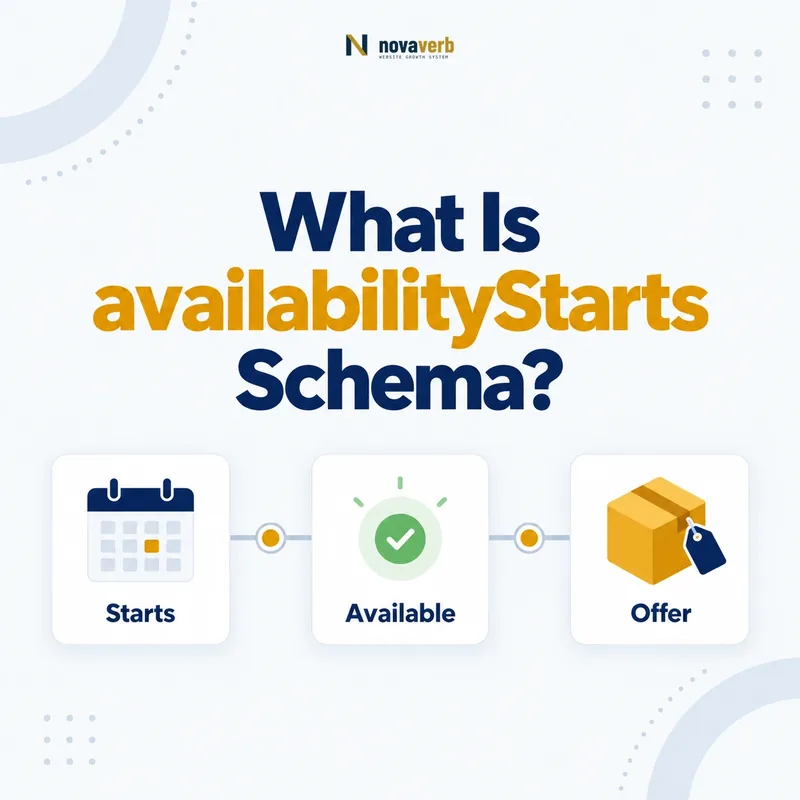
What Is availabilityStarts Schema?
availabilityStarts is a Schema.org property that states when the product or service included in an Offer begins to be available. It belongs on the relevant Offer, Demand, or ActionAccessSpecification node and accepts a Date, DateTime, or Time value.
Think of the property as an availability boundary, not as a general publishing timestamp. A retailer may publish a preorder page today while fulfillment begins next month. The page publication date describes the document; availabilityStarts describes when the offered item or service becomes obtainable under that offer. Keeping those facts separate makes the graph easier to maintain and prevents one date from carrying several incompatible meanings.
The property is most useful when availability is scheduled and visible to shoppers: a seasonal service opens on a known date, a ticket package becomes purchasable at noon, or a product can be ordered from a launch date. If an offer is already continuously available and no meaningful start boundary exists, omitting the property can be more honest than inventing one.
- Frame the decision raised by What Is availabilityStarts Schema.
- Confirm its value type and the object it describes.
- Compare the markup with visible page information.
- Correct the source data or template without inventing values.
- Validate the rendered result and monitor future changes.
| Question | Correct interpretation | Editorial check |
|---|---|---|
| What begins? | Availability of the offered product or service | The page names the same item |
| Where is it attached? | The relevant Offer or supported node | It is not floating on an unrelated page node |
| What value is used? | Date, DateTime, or Time | The precision matches the visible claim |
- Use a real operational start boundary.
- Keep the value consistent with visible customer information.
- Connect it to the offer that owns the timing.
The core rule is simple: availabilityStarts identifies when the offered item becomes available, not when the page was published.
Where Is availabilityStarts Allowed?
Schema.org lists availabilityStarts for Offer, Demand, and ActionAccessSpecification. For commerce and service pages, the normal placement is the specific Offer whose product or service begins availability at the stated time.
Placement matters because a page can contain several entities. A Product can have multiple Offers, and those offers may belong to different sellers, regions, plans, or variants. Putting one start date at an overly broad level can imply that every option begins together. Attach the date to the narrowest supported node whose terms it actually describes.
Review the surrounding graph before adding the property. The Offer should identify what is being offered, who sells or provides it when relevant, and the commercial terms that are actually visible. Our guides to itemOffered schema and seller schema help establish those relationships without forcing timing data onto the wrong entity.
- Evidence for Where Is availabilityStarts Allowed: the live structured-data entity and property relationship
- The expected value type and any nested object
- Visible page information that supports the structured value
- Related offer or catalog fields needed for interpretation
- A fresh validation result after the page changes
| Supported type | Typical use | Main risk |
|---|---|---|
| Offer | Scheduled product, service, ticket, or access availability | Date applied to the wrong offer |
| Demand | Beginning of availability connected to a stated demand | Confusing demand with supply |
| ActionAccessSpecification | When access for an action begins | Using it without a real access rule |
- Identify the entity with the timing rule.
- Confirm that its type supports the property.
- Verify that the same timing is visible to users.
Place availabilityStarts on the supported entity that truly owns the start boundary.
How Is availabilityStarts Different From availability?
availabilityStarts answers when availability begins, while availability describes the item’s availability state, such as InStock, OutOfStock, PreOrder, or another ItemAvailability value. They can work together, but they are not substitutes.
A future start date does not automatically communicate the current state. Likewise, a PreOrder or InStock value does not state the precise date or time when availability starts. If the page truthfully presents both facts, an Offer may carry both properties. Their values must tell one coherent customer story rather than expose conflicting feeds.
For example, a page may show “Preorder now; ships September 15.” The exact modeling depends on what the offer actually permits and what “available” means in that business flow. Do not translate marketing language mechanically. Confirm whether customers can purchase now, reserve now, or only begin purchasing later, then encode the corresponding offer facts.
- Frame the decision raised by How Is availabilityStarts Different From availability.
- Confirm its value type and the object it describes.
- Compare the markup with visible page information.
- Correct the source data or template without inventing values.
- Validate the rendered result and monitor future changes.
| Property | Answers | Example signal |
|---|---|---|
| availabilityStarts | When does availability begin? | 2026-09-15T09:00:00-04:00 |
| availability | What is the availability state? | PreOrder or InStock |
| Both | What state applies and when does the boundary occur? | A consistent scheduled offer |
- Never turn a date into an inventory state.
- Never infer a precise date from a broad state.
- Audit both properties against checkout behavior.
Use availabilityStarts for the boundary and availability for the state, with both grounded in the same offer reality.
How Is availabilityStarts Different From validFrom?
availabilityStarts identifies when the offered product or service becomes available; validFrom identifies when an item becomes valid. On an Offer, those moments can coincide, but they describe different business facts and should not be treated as interchangeable labels.
An offer’s terms may become legally or commercially valid before the service can be delivered. Conversely, a product may be available while a particular discount or price specification becomes valid later. Use the property that matches the fact presented on the page and in the source system. If both facts exist and differ, model both deliberately rather than copying one timestamp into two fields.
This distinction is particularly important for campaign pages, membership pricing, event access, and regional launches. A merchandising calendar often stores “campaign start,” “sale start,” “order start,” and “fulfillment start” as separate fields. Map each source field only after its operational meaning is documented.
- Evidence for How Is availabilityStarts Different From validFrom: the live structured-data entity and property relationship
- The expected value type and any nested object
- Visible page information that supports the structured value
- Related offer or catalog fields needed for interpretation
- A fresh validation result after the page changes
| Scenario | availabilityStarts | validFrom |
|---|---|---|
| Service can first be booked | Strong fit | Only if validity also begins then |
| Promotion terms take effect | Not automatically | Potential fit |
| Both events occur together | May be used | May be used if both facts are stated |
- Name the business event behind each timestamp.
- Map it to the property definition.
- Test pages where the two events differ.
Choose availabilityStarts for availability and validFrom for validity, even when a convenient database field tempts you to merge them.
How Is availabilityStarts Different From releaseDate?
availabilityStarts is an Offer-level availability boundary, whereas releaseDate describes when a product or creative work was released. A release can be global while individual sellers, regions, plans, or formats become available at different times.
A software product might have one release date but separate offer start dates for an enterprise plan and a public plan. A book may have a publication release while a specific signed edition becomes available later. A service has no useful “release” event in many cases, yet its seasonal Offer can still have an availability start.
Do not use releaseDate merely because the label sounds familiar to editors. Determine whether the date belongs to the underlying item or to the transaction. This entity-first choice avoids repeating a merchant schedule as if it were a universal product fact.
- Frame the decision raised by How Is availabilityStarts Different From releaseDate.
- Confirm its value type and the object it describes.
- Compare the markup with visible page information.
- Correct the source data or template without inventing values.
- Validate the rendered result and monitor future changes.
| Dimension | availabilityStarts | releaseDate |
|---|---|---|
| Entity focus | Offer availability | Product or creative work release |
| Can vary by seller | Yes | Usually not for the same release |
| Common use | Ordering, booking, access start | Launch or publication date |
- Ask whether the date changes when the seller changes.
- Ask whether the date describes access or product history.
- Keep release facts on the released entity.
Model a release on the item and a scheduled availability boundary on its Offer.
Should You Use Date, DateTime, or Time?
Use Date when only the calendar day is meaningful, DateTime when the exact instant matters, and Time only when a recurring or context-supported clock time is genuinely sufficient. Match the markup precision to the customer-facing promise and include a timezone offset when an instant depends on location.
A midnight value invented by a CMS can create false precision. If the page says only “Available October 4,” publish a date. If ordering opens at 9:00 a.m. Eastern, use a DateTime with the correct offset for that date. Avoid ambiguous local timestamps because daylight-saving rules and multi-region catalogs can shift the interpreted moment.
Timezone quality begins upstream. Store canonical instants and the intended market timezone, then format structured data from that source. Do not derive the value from the browser’s clock. When a promotion spans several regions, separate offers may be clearer than one timestamp that only applies to headquarters.
- Evidence for Should You Use Date, DateTime, or Time: the live structured-data entity and property relationship
- The expected value type and any nested object
- Visible page information that supports the structured value
- Related offer or catalog fields needed for interpretation
- A fresh validation result after the page changes
| Value type | Use when | Example |
|---|---|---|
| Date | The day is the complete claim | 2026-10-04 |
| DateTime | An exact regional instant matters | 2026-10-04T09:00:00-04:00 |
| Time | A clock time is meaningful in context | 09:00:00-04:00 |
- Read the visible availability statement.
- Select no more precision than it supports.
- Add and test the intended timezone when needed.
The best value is the least ambiguous representation of the real customer promise.
How Do You Mark Up a Scheduled Offer?
Mark up a scheduled offer by creating the relevant Offer node, identifying the item and truthful commercial terms, then adding availabilityStarts with the verified start boundary. Keep the JSON-LD synchronized with visible copy, purchasing controls, feeds, and server time.
A clean implementation begins with one source of truth. The commerce platform should supply the item identifier, seller, price, currency, availability state, and timing. The template should serialize those values without editorial guesses. If a customer cannot yet transact, the interface must not expose an enabled buy action merely because structured data announces a future boundary.
{
  "@context": "https://schema.org",
  "@type": "Offer",
  "itemOffered": {"@type": "Service", "name": "Seasonal SEO Audit"},
  "price": "499.00",
  "priceCurrency": "USD",
  "availabilityStarts": "2026-10-04T09:00:00-04:00"
}- Evidence for How Do You Mark Up a Scheduled Offer: the live structured-data entity and property relationship
- The expected value type and any nested object
- Visible page information that supports the structured value
- Related offer or catalog fields needed for interpretation
- A fresh validation result after the page changes
| Layer | Required alignment | Test |
|---|---|---|
| Source data | Approved start and timezone | Compare with operational record |
| Page | Visible date and purchase behavior | Visit before and after boundary |
| JSON-LD | Same Offer and timestamp | Parse rendered output |
- Confirm the offer and item relationship.
- Serialize the approved start value.
- Test rendered HTML and transaction state.
A scheduled Offer is complete only when data, page behavior, and markup agree.
What availabilityStarts Mistakes Are Common?
Common availabilityStarts errors include attaching the date to the wrong entity, confusing it with page publication or product release, inventing midnight precision, omitting timezone context, and leaving expired scheduled values in cached markup.
Multi-offer pages create another frequent failure. A template may reuse the earliest start date across all variants, even though inventory, seller, or region differs. Another system may update visible content immediately while a CDN serves yesterday’s JSON-LD. Both problems create a mismatch that syntax validation alone cannot detect.
Audit the operational edge cases: daylight-saving transitions, delayed launches, canceled offers, feeds with blank dates, and pages crossing the start instant while cached. A missing optional property is usually safer than a fabricated or stale claim. Remove the value when the underlying event no longer exists.
- Frame the decision raised by What availabilityStarts Mistakes Are Common.
- Confirm its value type and the object it describes.
- Compare the markup with visible page information.
- Correct the source data or template without inventing values.
- Validate the rendered result and monitor future changes.
| Mistake | Why it fails | Correction |
|---|---|---|
| Publication date copied | Describes the page, not the offer | Use the operational availability boundary |
| No timezone on exact instant | Market interpretation is ambiguous | Publish an offset-aware DateTime |
| One date for all variants | Offer-specific truth is lost | Map timing per applicable Offer |
| Stale cache after delay | Markup contradicts current promise | Purge and regenerate all representations |
- Test false precision and timezone drift.
- Compare every offer rather than only the first.
- Monitor changes after the scheduled boundary.
Prevent timing errors by testing semantic ownership and live behavior, not just JSON syntax.