
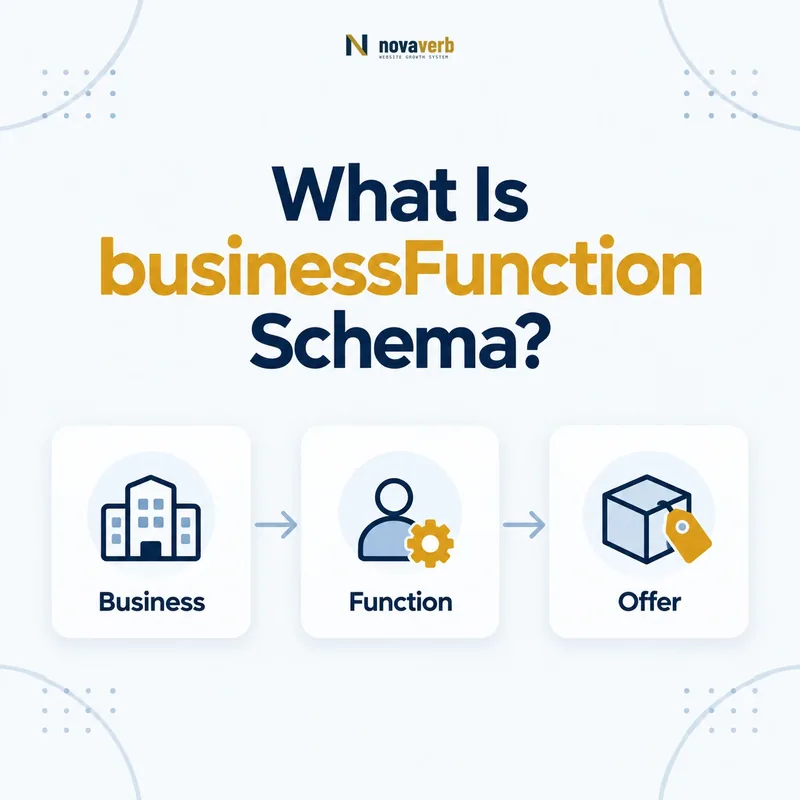
What Is businessFunction Schema?
The businessFunction schema property identifies the type of commercial activity or bundle of rights represented by an Offer, Demand or TypeAndQuantityNode, such as sell, lease, repair or provide service.
Primary definition: Schema.org businessFunction. The property identifies the commercial function represented by an Offer, Demand or TypeAndQuantityNode.
It explains what the transaction allows. A price does not reveal whether the buyer purchases ownership, rents access, pays for repair or hires a service. businessFunction adds that missing commercial meaning.
The expected value is BusinessFunction. Schema.org lists common GoodRelations values including Sell, Buy, LeaseOut, Repair, Maintain, ProvideService, ConstructionInstallation and Dispose. If an Offer omits businessFunction, Sell is the default.
- Frame the decision raised by What Is businessFunction Schema.
- Read the primary property definition and expected value type.
- Compare markup with the visible price and commercial terms.
- Correct the source catalog or template without inventing a value.
- Validate the rendered page and recheck it after pricing changes.
| Element | Role | Example |
|---|---|---|
| Offer | Commercial terms | Monthly equipment rental |
| businessFunction | Rights/activity type | LeaseOut |
| itemOffered | Item involved | Equipment Product |
| seller | Merchant | Rental Organization |
| Demand | Requested transaction | Buyer seeking repair |
- State the real transaction function.
- Use an appropriate BusinessFunction value.
- Remember omitted Offer values default to Sell.
Primary specification: Schema.org definition for businessFunction.
businessFunction tells machines what rights or activity the commercial terms actually represent.
Where Is businessFunction Allowed?
Use businessFunction on Offer, Demand or TypeAndQuantityNode, not directly on Product, Service, Organization or WebPage.
Offer and Demand provide the transaction context. TypeAndQuantityNode can describe a component inside a bundle and assign its own business function. A Product or Service connects to the transaction through itemOffered or offers.
Direct placement on Product confuses an item with the rights currently available for it. The same car can be sold, leased or repaired through different Offers, each with its own businessFunction.
- Evidence for Where Is businessFunction Allowed must come from the exact page and pricing context.
- Locate the Offer or PriceSpecification node that contains the property.
- Confirm the currency, price boundaries, tax treatment and eligibility context that apply.
- Compare rendered structured data with catalog, checkout and visible page terms.
- Retain a fresh validation result and the URL where the value was observed.
| Subject | Use | Decision |
|---|---|---|
| Offer | Function of available transaction | Supported |
| Demand | Function of requested transaction | Supported |
| TypeAndQuantityNode | Function of bundle component | Supported |
| Product | Intrinsic item | Connect through Offer |
| Service | Service entity | Connect through Offer |
- Identify the transaction node.
- Confirm its commercial function.
- Connect the correct item.
- Keep item and transaction facts separate.
Correct placement lets one item support different transaction rights without changing its identity.
What Happens When businessFunction Is Missing?
An Offer without an explicit businessFunction is assumed to use the Sell function, so non-sale offers should state their function to avoid being interpreted as sales.
The default is convenient for ordinary retail Offers. It is risky for rentals, repair services, maintenance plans, recycling programs and construction engagements. A visible “lease for $499 per month” can conflict with a graph whose function silently defaults to Sell.
Do not add Sell mechanically to every Offer merely for completeness. Omission already carries that default, while explicit values are most useful when clarifying a different function or enforcing a consistent commerce model.
- Frame the decision raised by What Happens When businessFunction Is Missing.
- Read the primary property definition and expected value type.
- Compare markup with the visible price and commercial terms.
- Correct the source catalog or template without inventing a value.
- Validate the rendered page and recheck it after pricing changes.
| Page transaction | Omission result | Recommended action |
|---|---|---|
| Normal product sale | Defaults to Sell | Omit or state Sell consistently |
| Equipment lease | Wrongly implies Sell | Use LeaseOut |
| Repair engagement | Wrongly implies Sell | Use Repair |
| Service subscription | May be unclear | Use supported function matching rights |
- Audit every non-sale Offer.
- Compare visible verbs with markup.
- Document whether the system emits explicit Sell.
The Sell default is safe only when the actual Offer transfers sales rights rather than another commercial activity.
Which BusinessFunction Value Should You Use?
Choose the BusinessFunction value that matches the rights or activity customers receive, using Sell, Buy, LeaseOut, Repair, Maintain, ProvideService, ConstructionInstallation or Dispose only when the page supports that meaning.
Sell transfers sale rights. LeaseOut provides temporary use. Repair and Maintain describe different service outcomes. ProvideService can represent service delivery, while ConstructionInstallation covers building or installation activity. Buy suits a Demand or commercial context where the party seeks to purchase.
Do not choose based on the page’s target keyword. Translate the operational agreement and public call to action into the function.
- Evidence for Which BusinessFunction Value Should You Use must come from the exact page and pricing context.
- Locate the Offer or PriceSpecification node that contains the property.
- Confirm the currency, price boundaries, tax treatment and eligibility context that apply.
- Compare rendered structured data with catalog, checkout and visible page terms.
- Retain a fresh validation result and the URL where the value was observed.
| Function | Use case | Visible evidence |
|---|---|---|
| Sell | Product or access sold | Buy, purchase, checkout |
| LeaseOut | Rental or lease | Rent, lease, monthly use |
| Repair | Restoring an item | Repair service scope |
| Maintain | Ongoing maintenance | Maintenance agreement |
| ProvideService | Service delivery | Service engagement |
| ConstructionInstallation | Build/install | Installation contract |
- Read the customer agreement.
- Identify the primary right or activity.
- Select the closest standard value.
- Validate it against page wording.
The correct value comes from what the transaction does, not how the page is marketed.
How Do You Mark Up a Sale, Lease or Repair Offer?
Mark up a sale, lease or repair by placing the matching BusinessFunction URI on Offer and connecting the exact Product or Service through itemOffered.
Use full stable values rather than free-text labels such as “rental.” Keep price, currency, availability, seller and eligibility on Offer. Keep product identity or service scope on the item.
{
  "@type": "Offer",
  "businessFunction": "http://purl.org/goodrelations/v1#LeaseOut",
  "price": "499.00",
  "priceCurrency": "USD",
  "itemOffered": {
    "@type": "Product",
    "name": "Commercial Floor Cleaner"
  }
}
The itemOffered guide explains the item relationship, while the seller guide covers merchant identity.
- Frame the decision raised by How Do You Mark Up a Sale, Lease or Repair Offer.
- Read the primary property definition and expected value type.
- Compare markup with the visible price and commercial terms.
- Correct the source catalog or template without inventing a value.
- Validate the rendered page and recheck it after pricing changes.
| Offer | businessFunction | itemOffered |
|---|---|---|
| Purchase equipment | Sell | Product |
| Rent equipment | LeaseOut | Product |
| Repair equipment | Repair | Product or repair Service context |
| Install equipment | ConstructionInstallation | Service |
- Use a standard function URI.
- Connect the exact item.
- Keep all visible terms aligned.
A transaction example is complete only when function, item and commercial terms describe the same customer choice.
How Does businessFunction Work on Demand?
On Demand, businessFunction describes the commercial activity being requested, such as a buyer seeking to purchase, lease, repair or obtain a service.
Offer describes what a seller or provider makes available; Demand describes what a buyer or requester seeks. Both can point to an item through itemOffered. The direction changes, but the function still defines the requested rights or activity.
Do not copy an Offer’s function into Demand without checking perspective. A business offering to buy inventory and a supplier offering to sell it can refer to the same Product through opposite commercial functions.
- Evidence for How Does businessFunction Work on Demand must come from the exact page and pricing context.
- Locate the Offer or PriceSpecification node that contains the property.
- Confirm the currency, price boundaries, tax treatment and eligibility context that apply.
- Compare rendered structured data with catalog, checkout and visible page terms.
- Retain a fresh validation result and the URL where the value was observed.
| Node | Perspective | Example function |
|---|---|---|
| Offer | Rights made available | Sell |
| Demand | Rights being sought | Buy |
| Offer | Repair made available | Repair |
| Demand | Repair being requested | Repair |
- Identify Offer or Demand perspective.
- Identify the item.
- Choose the requested or offered function.
- Check seller/buyer roles separately.
Demand uses businessFunction to describe what the requester wants, not what a merchant happens to sell elsewhere.
Can a Bundle Have Multiple Business Functions?
A bundle can use TypeAndQuantityNode components with different businessFunction values when the package combines distinct rights, such as selling equipment while providing installation or maintenance.
A single Offer may contain a device sold to the buyer, an installation service and a maintenance plan. Flattening the whole package into Sell can hide that some components are services. TypeAndQuantityNode provides component-level structure when the page and commerce system maintain it.
Use this complexity only when it reflects real customer terms. If one service package has a single commercial meaning, a simple Offer is easier to maintain.
- Frame the decision raised by Can a Bundle Have Multiple Business Functions.
- Read the primary property definition and expected value type.
- Compare markup with the visible price and commercial terms.
- Correct the source catalog or template without inventing a value.
- Validate the rendered page and recheck it after pricing changes.
| Bundle component | Function | Reason |
|---|---|---|
| Hardware unit | Sell | Ownership transfers |
| Installation labor | ConstructionInstallation | Installation activity |
| Annual maintenance | Maintain | Ongoing upkeep |
| Temporary equipment | LeaseOut | Use without ownership |
- Separate genuinely different rights.
- Keep quantities and functions aligned.
- Avoid component markup the page cannot maintain.
Component-level businessFunction is useful when one bundle truly combines different commercial rights and activities.
What businessFunction Mistakes Are Common?
Common businessFunction mistakes include placing it on the item, using free text instead of BusinessFunction values, allowing non-sale Offers to default to Sell, confusing buyer and seller perspectives and flattening mixed bundles.
A validator may accept a URI that is syntactically valid but commercially wrong. Review visible calls to action, contract language, billing model and fulfillment. “Subscribe,” “rent” and “book repair” can require different rights even when all have a price.
Template defaults are especially risky when one catalog mixes sales, rentals and services. Function should come from transaction data, not product category or URL pattern.
- Evidence for What businessFunction Mistakes Are Common must come from the exact page and pricing context.
- Locate the Offer or PriceSpecification node that contains the property.
- Confirm the currency, price boundaries, tax treatment and eligibility context that apply.
- Compare rendered structured data with catalog, checkout and visible page terms.
- Retain a fresh validation result and the URL where the value was observed.
| Mistake | Impact | Repair |
|---|---|---|
| Function on Product | Wrong subject | Move to Offer |
| Text “rental” | Wrong value type | Use LeaseOut URI |
| Repair defaults to Sell | Wrong rights | State Repair |
| Demand copied from Offer | Perspective mismatch | Review Buy/Sell direction |
| Catalog-wide Sell | False functions at scale | Map transaction source |
- Check supported placement.
- Validate enumeration values.
- Compare function with customer rights.
- Repair shared mappings.
Check the rendered page with the free website SEO checker, keep recurring evidence in Site Audit, and compare ongoing Novaverb plans when manual review no longer scales.
businessFunction is correct only when its value matches the real transaction from the parent node’s perspective.