
What Is Gzip Compression?
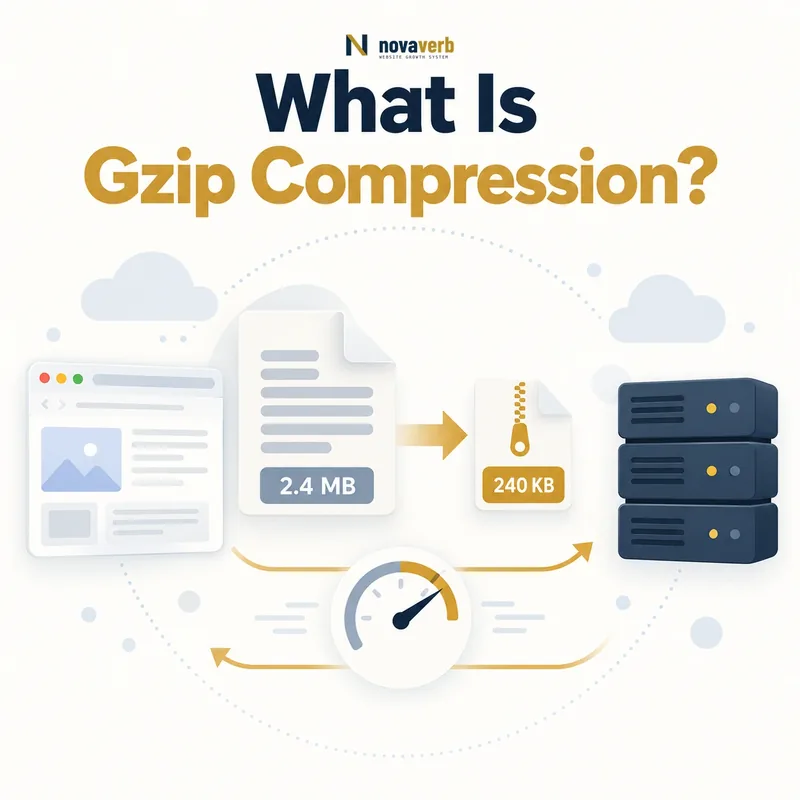
The server or delivery layer compresses an eligible response before sending it. The browser receives the smaller representation, expands it locally and uses the original content. Compression changes transfer size, not the logical page source or file meaning. It is especially effective when text contains repeated words, selectors, markup and code patterns.
Gzip is widely supported and often acts as a compatibility baseline. It should not be confused with minification, which removes unnecessary characters from source, or image compression, which uses formats designed for visual media. A site can minify a script, cache it, version its URL and Gzip its network response; each technique solves a different problem.
- Identify the exact page, asset, entity or relationship described in this section.
- Inspect the live implementation and retain the observed evidence.
- Compare the observation with the intended meaning and its primary specification.
- Correct any mismatch, then retest the live result.
- Record the accountable owner and review date.
| Concept | What changes | What stays the same |
|---|---|---|
| Gzip encoding | Transferred byte representation | Decoded content |
| Minification | Source formatting and symbols | Program behavior |
| Browser caching | Whether bytes transfer again | Resource identity |
| Cache busting | Resource URL after a change | Purpose of asset |
| Image encoding | Visual file representation | Rendered image intent |
- Use Gzip for eligible text responses.
- Do not expect it to optimize already compressed media.
- Measure transferred size rather than source size alone.
Primary specification: MDN HTTP compression reference.
Gzip saves transfer bytes for compressible text while leaving the browser with the same usable resource.
How Does Gzip Compression Work?
A request commonly includes Accept-Encoding with supported options. The origin, reverse proxy or CDN selects an encoding and returns Content-Encoding: gzip. The response should also vary correctly by encoding so a shared cache does not deliver compressed bytes to a client that cannot decode them.
Compression may happen dynamically for every response or ahead of time for static files. Dynamic compression adapts easily but consumes processing time. Precompressed assets reduce repeated CPU work but require the deployment system to create and publish matching variants. The layer closest to delivery should have one clear ownership model to avoid duplicate work.
- The exact page, asset, entity or relationship covered by this section
- The live implementation rather than an editor-only preview
- The primary specification or first-party record defining the expected behavior
- The validation result, accountable owner and review date
| Step | Request or response signal | Result |
|---|---|---|
| Advertise | Accept-Encoding | Client lists supported methods |
| Select | Server/CDN policy | Eligible encoding chosen |
| Encode | Compression process | Smaller response body |
| Label | Content-Encoding: gzip | Browser knows how to decode |
| Separate variants | Vary: Accept-Encoding | Shared cache keeps correct objects |
| Decode | Browser processing | Original resource becomes usable |
- The browser requests a resource.
- The delivery layer checks encoding support and content type.
- The response is compressed and labeled.
- The browser decodes it before use.
The complete exchange is advertise, select, encode, label, transfer and decode.
Gzip vs Brotli Compression
Brotli was designed with web content in mind and can improve compression density, particularly for static text assets compressed ahead of time. Higher compression settings take more CPU, so the smallest possible output is not automatically the best operational choice. Dynamic HTML often needs a balanced setting that avoids adding server delay.
The browser does not need one universal format. Content negotiation can return Brotli, Gzip or an uncompressed response according to support and policy. Compare actual transfer savings, compression time, cache hit behavior and Time to First Byte rather than selecting a method from a generic percentage claim.
- Identify the exact page, asset, entity or relationship described in this section.
- Inspect the live implementation and retain the observed evidence.
- Compare the observation with the intended meaning and its primary specification.
- Correct any mismatch, then retest the live result.
- Record the accountable owner and review date.
| Dimension | Gzip | Brotli |
|---|---|---|
| Browser support | Very broad | Broad in modern clients |
| Typical text density | Good | Often better |
| Dynamic CPU cost | Usually lower | Can be higher by level |
| Precompression | Supported | Strong fit for static assets |
| HTTP label | gzip | br |
| Practical role | Compatibility baseline | Preferred modern variant when efficient |
- Benchmark representative production resources.
- Avoid maximum compression on every dynamic response.
- Cache each encoding variant correctly.
Use Brotli when measured savings justify it and keep Gzip as a dependable negotiated fallback.
Which Files Should Use Gzip?
HTML, CSS, JavaScript, JSON, XML, text and SVG usually contain repetition that compresses well. Web fonts may benefit depending on their format, while WOFF2 already includes compression. JPEG, WebP, AVIF, PNG, MP4, ZIP and PDF usually gain little from another Gzip layer and can consume CPU without meaningful savings.
Eligibility should use the response content type and observed results, not only the filename. Dynamically generated routes may lack extensions. Very small responses can grow once headers and compression metadata are included. Define a minimum size, exclude streaming or latency-sensitive cases where appropriate, and verify custom MIME types.
- The exact page, asset, entity or relationship covered by this section
- The live implementation rather than an editor-only preview
- The primary specification or first-party record defining the expected behavior
- The validation result, accountable owner and review date
| Resource type | Typical choice | Reason |
|---|---|---|
| HTML | Compress | Text markup repeats |
| CSS and JavaScript | Compress | Selectors and code patterns repeat |
| JSON and XML | Compress | Structured text repeats |
| SVG | Compress | XML-based vector text |
| JPEG/WebP/AVIF | Skip | Already compressed image formats |
| MP4/ZIP/PDF | Usually skip | Little additional gain |
| Tiny response | Measure or skip | Overhead may exceed savings |
- Inventory production MIME types.
- Group text and already compressed formats.
- Set a minimum response size.
- Measure savings and processing cost.
Compress resources that produce material net transfer savings, not every response indiscriminately.
How Can Gzip Compression Help SEO?
Smaller HTML can arrive sooner after the server begins responding. Smaller CSS and JavaScript reduce download work before rendering and interaction. The effect depends on the page’s bottleneck: compression cannot fix slow application generation, render-blocking architecture, excessive JavaScript execution or oversized images.
Evaluate it alongside First Contentful Paint, Largest Contentful Paint, render-blocking resources and code splitting. The outcome is indirect rather than a ranking promise. Correct, useful pages still need strong search intent alignment and internal discovery.
- Identify the exact page, asset, entity or relationship described in this section.
- Inspect the live implementation and retain the observed evidence.
- Compare the observation with the intended meaning and its primary specification.
- Correct any mismatch, then retest the live result.
- Record the accountable owner and review date.
| Page component | Possible benefit | Remaining constraint |
|---|---|---|
| HTML | Fewer initial bytes | Origin generation and TTFB |
| Critical CSS | Faster transfer | Blocking order and unused rules |
| JavaScript | Faster download | Parsing and execution |
| JSON data | Lower API transfer | Application latency |
| SVG icon set | Smaller text payload | Rendering and reuse |
| Images | Usually little Gzip value | Format, size and dimensions |
- Test mobile and slower-network conditions.
- Separate download savings from execution time.
- Prioritize high-traffic templates and shared assets.
Gzip is valuable when transferred text is a real page-speed constraint and compression does not add more server delay than it saves.
What Gzip Compression Problems Can Occur?
If a proxy compresses a response that the origin already encoded, the browser may receive unusable bytes or misleading headers. If Content-Length describes the uncompressed body after transformation, clients and monitoring can behave incorrectly. Shared caches that ignore encoding variation may serve Gzip bytes to unsupported clients or keep unnecessary duplicate objects.
High dynamic compression settings can increase response latency and origin load during traffic peaks. Partial responses, streaming endpoints and server-sent events need protocol-aware decisions. Compression can also increase side-channel risk when a response mixes secrets with attacker-controlled input, so sensitive authenticated surfaces deserve a dedicated security review.
- The exact page, asset, entity or relationship covered by this section
- The live implementation rather than an editor-only preview
- The primary specification or first-party record defining the expected behavior
- The validation result, accountable owner and review date
| Problem | Symptom | Control |
|---|---|---|
| Double compression | Unreadable or failed response | Assign one encoding owner |
| Missing Content-Encoding | Browser treats compressed bytes as raw | Label transformation correctly |
| Bad Vary behavior | Wrong variant from shared cache | Vary or cache-key by encoding |
| Excessive CPU | TTFB rises under load | Use balanced levels or precompression |
| Already compressed file | CPU cost with no savings | Exclude media and archives |
| Sensitive reflection | Compression side-channel exposure | Review secrets and attacker input |
- Trace origin, proxy and CDN transformations.
- Inspect headers and decoded bodies.
- Load-test compression CPU cost.
- Review authenticated dynamic responses separately.
Compression is safe only when one layer owns encoding and every transformed response carries accurate negotiation, length and cache signals.
How Do CDNs and Caches Handle Gzip?
A CDN may fetch an uncompressed origin response and compress it at the edge, or it may cache precompressed origin variants. Either design can work. The important requirement is that the cache distinguishes representations and that purge, freshness and validation behavior remain coherent across them.
Cache-hit ratios can fall when configuration creates more variants than necessary. Conversely, stripping Vary without an equivalent provider cache-key rule can mix incompatible responses. Inspect the response delivered publicly and compare it with the origin. Link this audit to CDN delivery, browser caching and cache busting.
- Identify the exact page, asset, entity or relationship described in this section.
- Inspect the live implementation and retain the observed evidence.
- Compare the observation with the intended meaning and its primary specification.
- Correct any mismatch, then retest the live result.
- Record the accountable owner and review date.
| Delivery model | Advantage | Watch for |
|---|---|---|
| Origin dynamic Gzip | Central behavior | Origin CPU and duplicated edge work |
| Origin precompressed | Low repeated CPU | Deployment variant management |
| Edge compression | Regional processing and simple origin | Provider limits and first-request cost |
| Separate cached variants | Correct client negotiation | Cache fragmentation |
| Single compressed object | Efficient storage | Compatibility and transformation rules |
- Compare edge and origin headers.
- Test Gzip, Brotli and identity requests.
- Confirm purge reaches every stored variant.
A good CDN compression policy produces the correct encoded variant with predictable caching and no origin-edge disagreement.
How Do You Audit Gzip Compression?
Choose HTML templates, CSS, JavaScript, JSON, SVG, images and error pages. Record original resource size, transferred size, status, Content-Type, Content-Encoding, Vary, cache status and timing. Repeat at the CDN and through an origin diagnostic route if one exists.
Compare Gzip, Brotli and identity responses and confirm their decoded bodies are equivalent. Test cold and warm cache states, HTTP range behavior where relevant, authenticated responses and peak-load CPU. A high savings percentage on one large script does not prove complete coverage; look for important text responses that remain uncompressed or are compressed twice.
- The exact page, asset, entity or relationship covered by this section
- The live implementation rather than an editor-only preview
- The primary specification or first-party record defining the expected behavior
- The validation result, accountable owner and review date
| Audit check | Evidence | Pass condition |
|---|---|---|
| Negotiation | Requests with gzip, br and identity | Supported variant selected correctly |
| Header integrity | Encoding, Vary and length | Headers match transferred body |
| Body equivalence | Decoded hashes or content | Same logical response |
| Coverage | Representative MIME inventory | Important text types compressed |
| Efficiency | Original vs transferred bytes | Material net savings |
| Performance | Timing and CPU under load | No harmful processing regression |
| Cache behavior | Repeat edge requests | Correct variant and predictable hit |
- Build a representative resource sample.
- Request each supported encoding explicitly.
- Compare headers, bodies and transfer sizes.
- Test cache states and production load.
- Prioritize missing high-impact coverage.
A compression audit passes when eligible responses shrink materially, decoded content remains identical and latency or CPU does not regress under realistic load.