
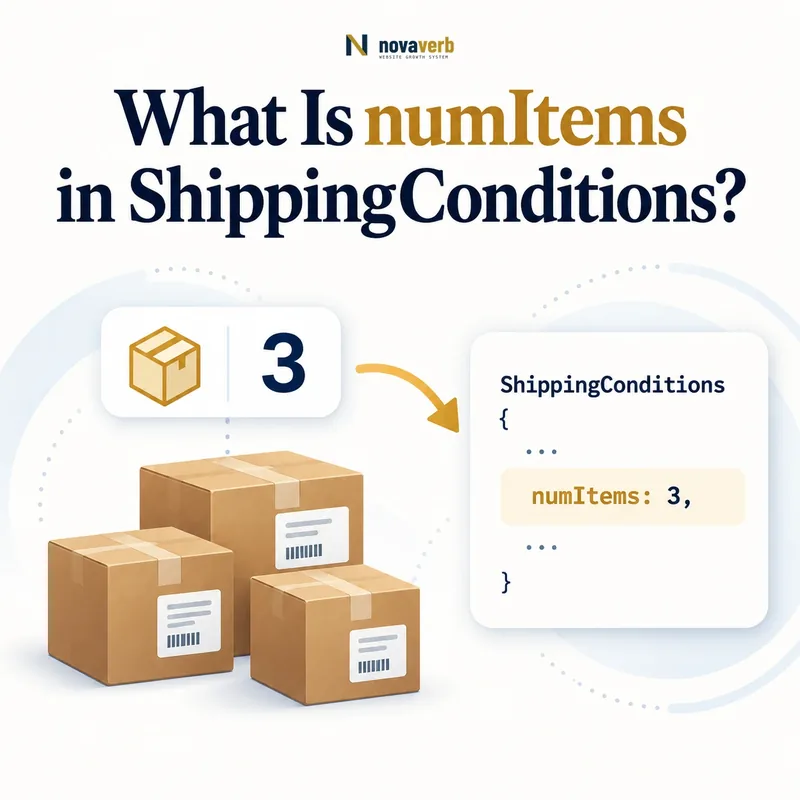
What Is numItems in ShippingConditions?
numItems is a QuantitativeValue that limits a ShippingConditions rule to shipments containing a specified number of items.
It can define quantity bands such as one to five units, six to twelve units, or more than twelve items. The property controls when the surrounding shipping rate, time, service, or exclusion applies; it does not count products automatically.
The merchant must define what an item means in checkout. A quantity of three may represent three sellable units, three packages, or one bundle with three components. Structured conditions should follow the operational count used to quote shipping.
- Identify the exact page, asset, entity or relationship described in this section.
- Inspect the live implementation and retain the observed evidence.
- Compare the observation with the intended meaning and its primary specification.
- Correct any mismatch, then retest the live result.
- Record the accountable owner and review date.
| Case | Meaning | Action |
|---|---|---|
| numItems | Quantity condition | 1–5 items |
| QuantitativeValue | Expected value type | Count range |
| minValue | Lower count | 1 |
| maxValue | Upper count | 5 |
| ShippingConditions | Parent rule | Rate or restriction |
- Define the counted unit.
- Use whole-number boundaries where appropriate.
- Match the checkout calculation.
Use the free backlink checker to find linked commerce pages before changing shipping rules.
Primary specification: Schema.org definition for numItems.
numItems is accurate when its quantity range selects exactly the shipments receiving the surrounding rule.
Where Does numItems Belong?
numItems belongs on ShippingConditions and expects a QuantitativeValue that defines the applicable item-count range.
It should not be attached directly to Product, Offer, ShippingService, OfferShippingDetails, or ShippingRateSettings. ShippingService reaches it through shippingConditions, where quantity joins destination, origin, order value, weight, dimensions, season, rate, and transit time.
Correct placement matters because a Product quantity is not the same as the number of items in a shipment. The condition should explain which complete cart or shipment cohort receives one outcome.
- The exact page, asset, entity or relationship covered by this section
- The live implementation rather than an editor-only preview
- The primary specification or first-party record defining the expected behavior
- The validation result, accountable owner and review date
| Case | Meaning | Action |
|---|---|---|
| ShippingConditions | Correct parent | Quantity-based rule |
| QuantitativeValue | Correct value | Count or range |
| Product quantity | Different concept | Do not substitute |
| ShippingService → conditions | Correct path | Reusable policy |
- Start from the service.
- Create the condition.
- Add numItems QuantitativeValue.
- Attach destination and outcome.
- Validate the graph.
Review ShippingConditions for the parent model.
Correct placement makes item count one explicit constraint within a complete shipping condition.
How Do minValue and maxValue Define Quantity Tiers?
minValue and maxValue define the lower and upper item-count boundaries for which a numItems condition applies.
A bounded tier can cover one through five items. A lower-only tier can cover six or more. An upper-only tier can cap a service at twelve items. Avoid fractional counts unless the operational system genuinely counts divisible units.
Document endpoint behavior and test the count immediately below, exactly at, and immediately above every boundary. Adjacent mutually exclusive tiers should have neither gaps nor overlaps for the same service and destination.
- Identify the exact page, asset, entity or relationship described in this section.
- Inspect the live implementation and retain the observed evidence.
- Compare the observation with the intended meaning and its primary specification.
- Correct any mismatch, then retest the live result.
- Record the accountable owner and review date.
| Case | Meaning | Action |
|---|---|---|
| 1–5 items | Small order tier | Test 1 and 5 |
| 6–12 items | Medium tier | Test 6 and 12 |
| 13+ items | Large tier | Test 13 |
| 2.5 items | Usually invalid semantics | Define units first |
- Choose integer count semantics.
- Set tier boundaries.
- Document inclusivity.
- Test three points per boundary.
Quantity tiers are dependable when every valid count resolves to one intentional band.
What Does One Item Mean in a Cart?
One item should mean the same operational unit that checkout uses to calculate shipping, whether that is sellable units, packages, cases, or another documented shipment count.
Cart line count and unit count are different. One line with quantity ten can represent ten items. A bundle sold as one SKU may ship as one package or several components. Subscription multiples, multipacks, kits, and split fulfillment further complicate the count.
Define the count authority before publishing numItems. Generate markup and rates from the same normalized quantity rather than recounting independently in the SEO layer.
- The exact page, asset, entity or relationship covered by this section
- The live implementation rather than an editor-only preview
- The primary specification or first-party record defining the expected behavior
- The validation result, accountable owner and review date
| Case | Meaning | Action |
|---|---|---|
| One line, quantity 10 | Ten sellable units | Do not count lines |
| Six-pack SKU | One SKU or six units | Follow shipping authority |
| Bundle ships in two boxes | Package count differs | Document rule |
| Split fulfillment | Multiple shipments | Scope each condition |
| Digital item | No physical shipment | Exclude from count |
- Identify physical shippable units.
- Define bundle behavior.
- Exclude nonshippable items.
- Handle split shipments.
- Reuse the checkout count.
numItems becomes meaningful only after the store defines one consistent shipment-count unit.
How Do Bundles, Multipacks, and Kits Affect numItems?
Bundles, multipacks, and kits should follow their real fulfillment count rather than a guessed component total or visible line count.
A case of twelve bottles may ship as one case under a case-based rate, while a build-your-own bundle may be packed as twelve individual units. A furniture set can consist of three boxes even though the customer purchases one Offer.
Keep SKU merchandising separate from shipping operations. If different variants of the same bundle ship in different package counts, use Offer-specific eligibility or a more suitable weight and dimension condition instead of forcing one universal numItems rule.
- Identify the exact page, asset, entity or relationship described in this section.
- Inspect the live implementation and retain the observed evidence.
- Compare the observation with the intended meaning and its primary specification.
- Correct any mismatch, then retest the live result.
- Record the accountable owner and review date.
| Case | Meaning | Action |
|---|---|---|
| Factory-sealed multipack | May count as one case | Use fulfillment unit |
| Pick-and-pack bundle | May count components | Use warehouse count |
| Three-box furniture set | Package count differs | Consider dimensions |
| Digital add-on | No shipping unit | Exclude |
| Variant packaging differs | Offer-specific logic | Do not inherit blindly |
- Map each SKU to shipping units.
- Test bundle variants.
- Compare package and item semantics.
- Use weight or dimensions when more accurate.
Bundle quantity rules are truthful when they mirror how the warehouse actually prepares the shipment.
How Does numItems Interact With orderValue and Weight?
numItems, orderValue, and weight can jointly constrain one ShippingConditions rule, and all specified conditions must match for that outcome to apply.
A cart of six lightweight items worth $120 may qualify for free shipping, while six heavy items may require freight. A high item count with a low cart value can still use a different rate from one expensive item. Do not assume one constraint substitutes for another.
Build a decision matrix across count, subtotal, weight, destination, and product cohort. Test intersections rather than validating each property independently, because conflicting or missing combinations create checkout gaps.
- The exact page, asset, entity or relationship covered by this section
- The live implementation rather than an editor-only preview
- The primary specification or first-party record defining the expected behavior
- The validation result, accountable owner and review date
| Case | Meaning | Action |
|---|---|---|
| 6 items, $120, light | Possible free tier | Match all conditions |
| 6 items, $120, heavy | Freight tier | Weight changes result |
| 1 item, $500 | High value, low count | Separate band |
| 20 items, $40 | High count, low value | Bulk handling |
| Same cart, remote ZIP | Destination exception | Geography changes rule |
- List every condition dimension.
- Generate intersection carts.
- Resolve one outcome per service.
- Test boundary combinations.
Compare orderValue for cart-value tiers.
Combined shipping rules work when quantity, value, weight, and geography resolve together without gaps.
How Should Quantity-Based Shipping Rates Work?
Quantity-based rates should attach a clear shippingRate to each numItems tier while preserving destination, service, weight, product, and cart-value context.
A merchant might charge $5 for one to five units, $8 for six to twelve, and freight above twelve. Another may offer a per-item rate. The policy should state whether quantity counts all shippable items or only eligible products in a category.
Do not publish a rate table that checkout calculates differently. If rate changes are actually driven by package weight or dimensions, model the more faithful constraint instead of using item count as a proxy.
- Identify the exact page, asset, entity or relationship described in this section.
- Inspect the live implementation and retain the observed evidence.
- Compare the observation with the intended meaning and its primary specification.
- Correct any mismatch, then retest the live result.
- Record the accountable owner and review date.
| Case | Meaning | Action |
|---|---|---|
| 1–5 units | $5 standard rate | Small tier |
| 6–12 units | $8 standard rate | Medium tier |
| 13+ units | Freight or exclusion | Large tier |
| Per-item charge | Calculated settings | Verify formula |
| Count proxies weight | Potential mismatch | Use weight if authoritative |
- Tie each tier to one service.
- Document eligible products.
- Validate rate formulas.
- Replace weak proxies with real constraints.
Quantity pricing is accurate when the count directly drives the rate used by checkout.
What numItems Schema Mistakes Are Common?
Common mistakes include counting cart lines instead of units, undefined bundle semantics, fractional or negative counts, reversed bounds, gaps or overlaps, counting digital products, stale tiers, and checkout mismatches.
Other defects include using numItems as a proxy for weight, applying one product's restriction to the catalog, and forgetting that split shipments may need separate conditions. Valid QuantitativeValue syntax cannot prove that the operational count is correct.
Quantity defects often come from a shared cart adapter. Repair the authoritative counting logic and regenerate markup rather than patching pages independently.
- The exact page, asset, entity or relationship covered by this section
- The live implementation rather than an editor-only preview
- The primary specification or first-party record defining the expected behavior
- The validation result, accountable owner and review date
| Case | Meaning | Action |
|---|---|---|
| Line count used | Wrong quantity | Use unit count |
| Bundle undefined | Inconsistent tiers | Map fulfillment units |
| min above max | Invalid range | Correct boundaries |
| Digital goods counted | False threshold | Exclude nonphysical items |
| Weight proxy | Wrong rate cohort | Use actual weight |
- Extract every tier and parent.
- Validate integer boundaries.
- Find gaps and overlaps.
- Compare checkout counts.
- Repair the source.
numItems defects require quantity semantics, range, product, package, and checkout validation together.