
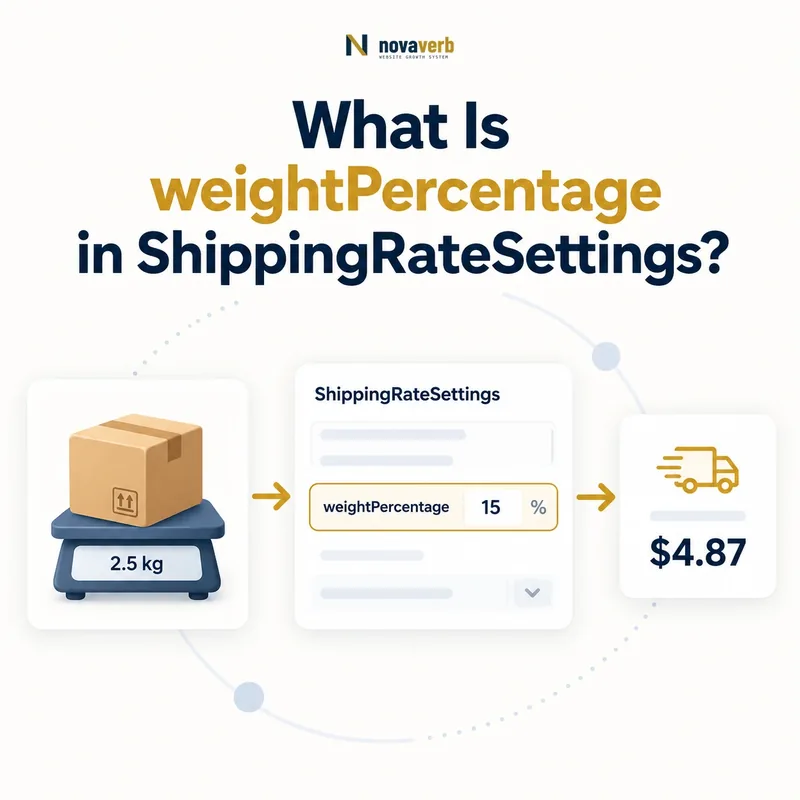
What Is weightPercentage in ShippingRateSettings?
weightPercentage is a Number representing the fraction of shipment weight used to compute a shipping-price component.
A value of 0.10 applied to a shipping weight of 15 produces a 1.5 monetary component in the order currency under the published model. The property belongs to ShippingRateSettings and participates in a calculated rate rather than defining a weight-eligibility threshold.
The formula needs an authoritative shipping weight, unit convention, monetary currency, base-rate context, and rounding rule. Without those inputs, the numeric fraction cannot reproduce checkout.
- Identify the exact page, asset, entity or relationship described in this section.
- Inspect the live implementation and retain the observed evidence.
- Compare the observation with the intended meaning and its primary specification.
- Correct any mismatch, then retest the live result.
- Record the accountable owner and review date.
| Case | Meaning | Action |
|---|---|---|
| weightPercentage | Weight-price fraction | 0.10 |
| ShippingRateSettings | Parent calculation | Reusable rate |
| Shipping weight | Formula input | 15 kg |
| Result component | Money in order currency | 1.5 |
| shippingRate | Base or total context | MonetaryAmount |
- Treat the value as a Number.
- Define the weight input.
- Match checkout formula and currency.
Use the free backlink checker to locate linked commerce pages before changing calculated rates.
Primary specification: Schema.org definition for weightPercentage.
weightPercentage is accurate when its fraction reproduces the weight-derived shipping component shown at checkout.
Where Does weightPercentage Belong?
weightPercentage belongs only on ShippingRateSettings and should not be attached directly to ShippingConditions, Product, Offer, or OfferShippingDetails.
ShippingConditions or OfferShippingDetails can use shippingRate whose value is ShippingRateSettings. That settings node contains the fraction and any monetary base rate, destination, free threshold, label, or fallback configuration.
Correct nesting matters because Product weight supplies a measurement, while weightPercentage supplies one pricing factor. Mixing them destroys the relationship between input and formula.
- The exact page, asset, entity or relationship covered by this section
- The live implementation rather than an editor-only preview
- The primary specification or first-party record defining the expected behavior
- The validation result, accountable owner and review date
| Case | Meaning | Action |
|---|---|---|
| ShippingRateSettings | Correct parent | Calculated component |
| ShippingConditions → shippingRate | Supported path | Rule uses settings |
| OfferShippingDetails → shippingRate | Supported path | Offer uses settings |
| Product direct | Wrong intent | Use weight for measurement |
- Start from the shipping rule.
- Attach ShippingRateSettings.
- Add the numeric fraction.
- Add monetary and geographic context.
- Validate the graph.
Review ShippingRateSettings for the parent model.
Correct placement keeps the weight measurement separate from the fraction used to price it.
Is weightPercentage a Percent of Shipping Cost?
weightPercentage is not a percentage discount or percentage of the final shipping charge; it is the numeric fraction of weight used to compute a price component.
The property name can cause mistakes. A value of 0.10 is applied to the weight input under the defined shipping calculation. It should not be interpreted as ten percent off shipping, ten percent of the product price, or a ten-percent weight threshold.
Document the formula in merchant pricing data and use worked examples with known checkout totals. If the business rule is a percentage of order value, orderPercentage is the relevant property instead.
- Identify the exact page, asset, entity or relationship described in this section.
- Inspect the live implementation and retain the observed evidence.
- Compare the observation with the intended meaning and its primary specification.
- Correct any mismatch, then retest the live result.
- Record the accountable owner and review date.
| Case | Meaning | Action |
|---|---|---|
| 0.10 × weight | Weight-based component | weightPercentage |
| 10% of order value | Order-based component | orderPercentage |
| 10% discount | Promotion logic | Not this property |
| Weight above 10 lb | Eligibility threshold | ShippingConditions weight |
- Name the formula explicitly.
- Separate price, discount, and eligibility concepts.
- Test worked examples.
- Use orderPercentage for cart-value fractions.
The property is interpreted correctly when it prices shipment weight rather than discounting cost or limiting eligibility.
How Do You Calculate a Weight-Based Rate?
Calculate a weight-based rate by resolving billable shipment weight, applying weightPercentage, combining any base rate or other supported components, and rounding exactly as checkout does.
For example, a 15-unit billable weight multiplied by 0.10 yields a 1.5 component. If a $5 base shippingRate also applies, the operational formula may produce $6.50 before other charges. Publish only the combination the checkout engine actually uses.
Do not assume the unit or component order. Convert weight before multiplication, apply minimums or caps if the source policy has them, and account for mandatory destination or oversize surcharges through the appropriate rate model.
- The exact page, asset, entity or relationship covered by this section
- The live implementation rather than an editor-only preview
- The primary specification or first-party record defining the expected behavior
- The validation result, accountable owner and review date
| Case | Meaning | Action |
|---|---|---|
| Weight 15 × 0.10 | 1.5 component | Verify unit |
| Base 5 + component 1.5 | 6.5 before other rules | Match formula |
| Weight converted late | Wrong component | Normalize first |
| Mandatory surcharge omitted | Underquoted total | Include authoritative rule |
| Minimum charge | Formula floor | Test low weights |
- Resolve billable weight.
- Normalize units.
- Apply fraction.
- Combine authorized components.
- Round and compare checkout.
A weight-based rate is reproducible when input, formula order, components, and rounding are explicit.
Which Weight Should the Formula Use?
The formula should use the same billable shipment weight used by checkout, including the merchant's rules for packaging, dimensional weight, quantity aggregation, and multiple packages.
Net product weight can understate the shipment. A lightweight bulky box can price from dimensional weight. Several items may ship together or split into packages, and the carrier may calculate each package separately.
Define the measurement authority and effective packaging version. Preserve actual, packed, and dimensional values as distinct facts rather than labeling every result simply as weight.
- Identify the exact page, asset, entity or relationship described in this section.
- Inspect the live implementation and retain the observed evidence.
- Compare the observation with the intended meaning and its primary specification.
- Correct any mismatch, then retest the live result.
- Record the accountable owner and review date.
| Case | Meaning | Action |
|---|---|---|
| Net product weight | Catalog fact | May be insufficient |
| Packed actual weight | Shipment fact | Common input |
| Dimensional weight | Billing result | Bulky package |
| Multiple packages | Several calculations | Avoid naive sum |
| Split fulfillment | Different origins | Scope each shipment |
- Identify physical packages.
- Apply billable-weight logic.
- Preserve measurement labels.
- Test bundle and split cases.
Compare weight in ShippingConditions for measurement and eligibility rules.
weightPercentage remains truthful only when its weight input matches the checkout billing measurement.
How Should Units and Currency Work Together?
Weight units and monetary currency must be explicit in the surrounding calculation so the same fraction does not produce different results from pounds, kilograms, or market currencies.
Applying 0.10 to 15 pounds differs operationally from applying it to 15 kilograms. The Number property carries no weight unit or currency by itself. Those facts must come from the shipment weight and monetary rate context.
Normalize LBR and KGM inputs before multiplication, document precision, and use the checkout market currency. Never copy one fraction across units or countries without proving formula equivalence.
- The exact page, asset, entity or relationship covered by this section
- The live implementation rather than an editor-only preview
- The primary specification or first-party record defining the expected behavior
- The validation result, accountable owner and review date
| Case | Meaning | Action |
|---|---|---|
| 15 LBR × 0.10 | Unit-specific component | US weight context |
| 15 KGM × 0.10 | Different physical mass | Do not equate |
| USD result | US currency | Match order |
| CAD result | Canadian currency | Separate market |
| No unit or currency | Ambiguous formula | Investigate |
- Choose canonical weight unit.
- Convert before calculation.
- Match order currency.
- Test market-specific formulas.
A weight-derived monetary component is interpretable only when unit and currency context remain aligned.
How Do Base Rates, Thresholds, and Destinations Interact?
weightPercentage can combine with a base shippingRate and must remain scoped to the destination, free-shipping threshold, service, product, and other rate settings that checkout applies.
A domestic service might charge $5 plus a weight component, become free above a qualifying cart value, and use a different fraction for Alaska. Express and standard services can have separate formulas on the same route.
Build a decision matrix across destination, service, weight, cart value, product, and package. A freeShippingThreshold may override the calculated charge only for its qualifying condition and service.
- Identify the exact page, asset, entity or relationship described in this section.
- Inspect the live implementation and retain the observed evidence.
- Compare the observation with the intended meaning and its primary specification.
- Correct any mismatch, then retest the live result.
- Record the accountable owner and review date.
| Case | Meaning | Action |
|---|---|---|
| Domestic standard | Base plus weight | Default formula |
| Alaska standard | Different fraction or surcharge | Regional formula |
| Cart above threshold | Possible zero rate | Verify override |
| Express | Separate formula | Parallel service |
| Oversize product | Additional rule | Do not omit |
- Resolve region and service.
- Resolve billable weight.
- Apply base and fraction.
- Evaluate free threshold.
- Test complete intersections.
Review shippingRate and shippingDestination.
Calculated rates are coherent when base, weight, threshold, and destination rules resolve in one documented order.
What weightPercentage Mistakes Are Common?
Common mistakes include entering 10 instead of 0.10, treating the property as a discount, using the wrong weight unit, applying net instead of billable weight, omitting currency context, and rounding differently from checkout.
Other defects include double-counting a base rate, ignoring dimensional weight, copying one market formula globally, allowing free-shipping thresholds to conflict, and publishing a calculated approximation for a dynamic carrier quote.
Formula defects often originate in shared rate configuration. Repair the pricing authority and regenerate markup rather than patching each Offer.
- The exact page, asset, entity or relationship covered by this section
- The live implementation rather than an editor-only preview
- The primary specification or first-party record defining the expected behavior
- The validation result, accountable owner and review date
| Case | Meaning | Action |
|---|---|---|
| 10 instead of 0.10 | Hundredfold error | Use fraction |
| Discount interpretation | Wrong concept | Use pricing formula |
| LBR/KGM mismatch | Wrong charge | Normalize input |
| Base counted twice | Overquote | Trace component order |
| Dynamic quote approximated | Stale cost | Avoid unsupported claim |
- Extract every fraction and parent.
- Recompute worked examples.
- Validate units and currency.
- Find duplicate components.
- Repair the source.
weightPercentage defects require fraction, measurement, monetary, formula-order, route, and checkout validation together.