
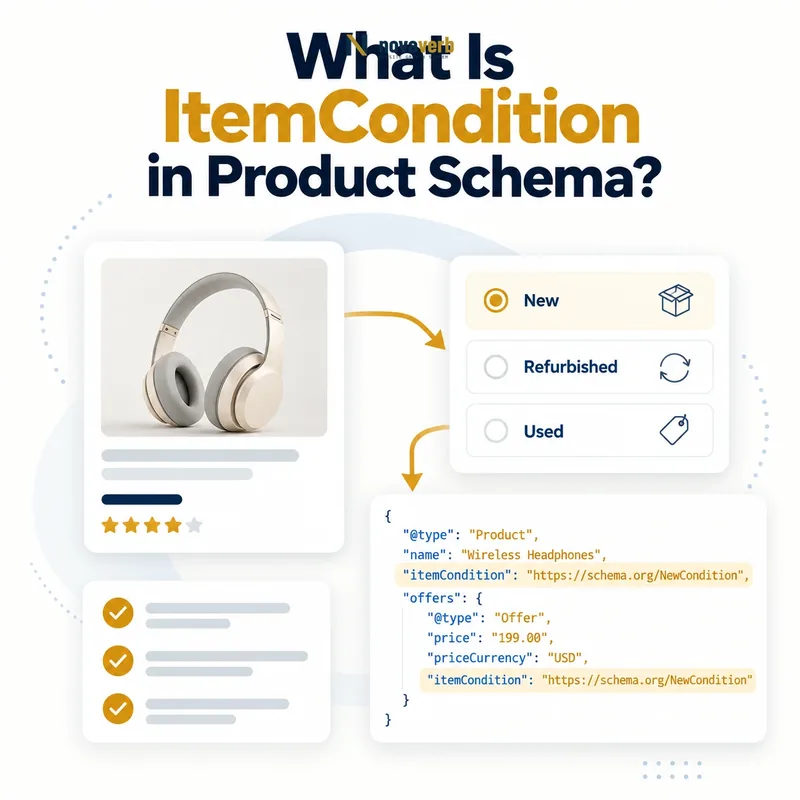
What Is ItemCondition in Product Schema?
ItemCondition is a structured-data property that states whether the exact product or offer is new, used, refurbished, or damaged by using a defined OfferItemCondition value.
The property converts a shopper-facing condition into a controlled value that can remain consistent across the page, catalog, feed and JSON-LD. It can appear on Product or Offer in the wider Schema.org vocabulary, but ecommerce implementations commonly place it on the Offer because condition can change between listings for the same product.
- Identify the exact page, asset, entity or relationship described in this section.
- Inspect the live implementation and retain the observed evidence.
- Compare the observation with the intended meaning and its primary specification.
- Correct any mismatch, then retest the live result.
- Record the accountable owner and review date.
| Value | Meaning | Typical listing |
|---|---|---|
| NewCondition | Not previously used | Factory-new retail item |
| UsedCondition | Previously used | Resale or marketplace item |
| RefurbishedCondition | Restored or renewed | Refurbished device |
| DamagedCondition | Damaged item | Parts, salvage or disclosed damage |
- Describe the exact item customers can purchase.
- Use a canonical Schema.org enumeration URL.
- Match visible condition disclosures and catalog records.
Use the free backlink checker to inspect links reaching product URLs while reviewing their structured data.
Primary specification: Schema.org definition for itemCondition.
ItemCondition is useful when one controlled value truthfully represents the condition of the exact item or offer.
Why Does Item Condition Matter for Ecommerce SEO?
Item condition matters because price, availability, return expectations, shopper intent and offer identity can differ substantially between new, used, refurbished and damaged inventory.
Condition does not create rankings on its own, and its presence does not guarantee a richer search appearance. Its value comes from reducing ambiguity around the offer. A low price for a used device should not appear to describe a new device, and a refurbished unit should not inherit claims written for sealed inventory.
- The exact page, asset, entity or relationship covered by this section
- The live implementation rather than an editor-only preview
- The primary specification or first-party record defining the expected behavior
- The validation result, accountable owner and review date
| Condition issue | Customer risk | Data response |
|---|---|---|
| Condition missing | Offer context is incomplete | Add when verified and relevant |
| Used marked new | Misleading purchase expectation | Correct source immediately |
| Refurbished marked used | Restoration status is lost | Apply governed classification |
| Page and JSON-LD conflict | Evidence cannot be reconciled | Align visible and structured facts |
- Identify the exact purchasable listing.
- Read its visible condition disclosure.
- Compare catalog, feed and JSON-LD values.
- Resolve conflicts at the authoritative source.
- Verify the rendered page after regeneration.
Accurate condition data supports cleaner offer comparison and prevents price or inventory facts from being attached to the wrong product state.
Condition strengthens ecommerce data by making each offer's commercial context explicit and consistent.
Which ItemCondition Values Can You Use?
The standard OfferItemCondition set contains NewCondition, UsedCondition, RefurbishedCondition, and DamagedCondition, and each value should be expressed as its Schema.org enumeration URL.
These four values are broad categories, not a substitute for detailed grading. A marketplace can still show “Excellent,” “Grade A,” “Open box,” or a cosmetic score in visible content, but the structured value must map to the closest truthful standardized condition. Teams should document that mapping rather than letting each seller choose independently.
- Identify the exact page, asset, entity or relationship described in this section.
- Inspect the live implementation and retain the observed evidence.
- Compare the observation with the intended meaning and its primary specification.
- Correct any mismatch, then retest the live result.
- Record the accountable owner and review date.
| Internal label | Possible standard value | Review needed |
|---|---|---|
| Brand new, sealed | NewCondition | Confirm never used |
| Pre-owned, excellent | UsedCondition | Keep grade in visible copy |
| Certified restored | RefurbishedCondition | Define restoration standard |
| For parts, cracked | DamagedCondition | Disclose exact defects |
| Open box | Policy-dependent | Determine whether it was used or restored |
- Never invent a fifth enumeration for an internal grade.
- Keep detailed condition notes visible to shoppers.
- Use one mapping policy across pages and feeds.
- Escalate labels that do not fit a truthful category.
The controlled value standardizes the broad condition while page copy explains the specific state customers need to understand.
Use one of the four standard values and preserve finer condition detail in visible, accurate product content.
Should ItemCondition Go on Product or Offer?
Place ItemCondition on Offer when condition varies by purchasable listing; use Product only when the page describes one product instance or every represented offer shares the same condition.
The decision depends on scope. A general product model can have a new retail offer, a used marketplace offer and a refurbished offer. Attaching one condition to the shared Product would incorrectly describe the others. Offer-level placement keeps condition beside price, availability, seller and purchase URL for the same listing.
- The exact page, asset, entity or relationship covered by this section
- The live implementation rather than an editor-only preview
- The primary specification or first-party record defining the expected behavior
- The validation result, accountable owner and review date
| Page model | Recommended scope | Reason |
|---|---|---|
| Single new item and offer | Offer, or consistent Product scope | Only one condition represented |
| Multiple sellers and conditions | Each Offer | Condition differs by listing |
| Unique used item | Exact Product and Offer relationship | Page describes one physical item |
| Product overview without purchase | Omit unless condition is intrinsic | No condition-specific offer exists |
- List every Product and Offer entity on the page.
- Define what physical item each entity represents.
- Attach condition at the narrowest truthful level.
- Keep price and availability at the same offer scope.
- Test pages containing mixed conditions.
See Offer schema and Product schema for the surrounding entity model.
Condition belongs at the narrowest level that stays true for every item or offer the entity represents.
How Do New, Used, Refurbished, and Damaged Differ?
New means unused, used means previously used, refurbished means restored through a defined process, and damaged means the item has disclosed damage; sellers need an operational policy for borderline cases.
The difficult categories are often open-box, returns, display models, remanufactured goods and products with replaced components. Structured data cannot resolve those business definitions. Merchandising, legal and operations teams should agree on a policy that matches customer disclosures and applicable marketplace obligations, then encode that decision consistently.
- Identify the exact page, asset, entity or relationship described in this section.
- Inspect the live implementation and retain the observed evidence.
- Compare the observation with the intended meaning and its primary specification.
- Correct any mismatch, then retest the live result.
- Record the accountable owner and review date.
| Case | Questions to ask | Likely direction |
|---|---|---|
| Customer return | Was it used or only opened? | New or Used per verified policy |
| Display model | Was it handled, powered or worn? | Often Used |
| Restored electronics | Was there a documented restoration process? | Refurbished |
| Scratched but functional | Is damage the defining sale state? | Used or Damaged per disclosure |
| Factory remanufactured | What process and warranty apply? | Often Refurbished |
- Define whether packaging alone affects condition.
- Document testing, repair and replacement requirements.
- State cosmetic and functional defects visibly.
- Keep condition separate from warranty quality.
A standardized mapping should be conservative: when shoppers would reasonably distinguish the item from new inventory, the data must not hide that distinction.
Condition categories become reliable only when operational definitions, visible disclosures and structured values follow the same policy.
How Should ItemCondition Work With Product Variants?
Each purchasable variant needs its own condition when condition can differ, and parent-level inheritance is safe only if every child represented by the parent shares the same state.
Size and color variants may all be new, but resale inventory frequently consists of unique items whose wear, packaging and restoration history differ. Grouping those listings under one product model should not erase condition differences. The same principle applies when a selector mixes new and refurbished devices.
- The exact page, asset, entity or relationship covered by this section
- The live implementation rather than an editor-only preview
- The primary specification or first-party record defining the expected behavior
- The validation result, accountable owner and review date
| Variant pattern | Condition handling | Validation |
|---|---|---|
| All-new size variants | Shared policy may be safe | Confirm every child |
| Unique used items | Condition per listing | Preserve item-level evidence |
| New and refurbished selector | Separate Offers | Keep price paired with condition |
| Bundle with mixed states | Describe bundle carefully | Disclose each component |
- Map the variant group and children.
- Identify whether condition is a varying attribute.
- Separate offers when state or seller changes.
- Keep each price paired with its exact condition.
- Verify the selected variant's rendered JSON-LD.
Templates must update structured data when a user-selectable variant changes the canonical item or offer; stale default condition is a common source of mismatch.
Variant grouping must preserve condition at the same granularity as the item customers actually select and purchase.
How Does ItemCondition Relate to Return Policies?
Offer condition describes the item being sold, while return-policy itemCondition describes which conditions are accepted for returns; they use the same vocabulary but answer different questions.
A new product can be sold with NewCondition while its return policy accepts new, used or damaged returns under different rules. Copying the offer value into the return policy can falsely narrow or broaden eligibility. Each property must be populated from the business process it represents.
- Identify the exact page, asset, entity or relationship described in this section.
- Inspect the live implementation and retain the observed evidence.
- Compare the observation with the intended meaning and its primary specification.
- Correct any mismatch, then retest the live result.
- Record the accountable owner and review date.
| Context | Question answered | Data owner |
|---|---|---|
| Product or Offer | What condition is being sold? | Catalog or merchandising |
| Return policy | What returned conditions are accepted? | Operations or policy owner |
| Visible product page | What will the buyer receive? | Merchandising |
| Returns page | What rules apply after purchase? | Customer operations |
- Do not reuse one database column for both meanings.
- Allow multiple accepted conditions when the policy supports them.
- Keep exclusions and fees visible in policy content.
- Revalidate after returns rules change.
Review Merchant Return Policy schema before connecting shared policy entities to offers.
Offer condition and accepted return condition share values but must remain separate because they describe different stages of the transaction.
What ItemCondition Schema Mistakes Are Common?
Common mistakes are using free text instead of enumeration values, marking every item new, confusing refurbished with used, placing one condition above mixed offers, and contradicting visible disclosures.
Another error is treating cosmetic grades as standard values or assuming that a validator can confirm factual accuracy. A syntactically valid NewCondition value is still wrong on a pre-owned item. Catalog mappings and rendered pages must be inspected together.
- The exact page, asset, entity or relationship covered by this section
- The live implementation rather than an editor-only preview
- The primary specification or first-party record defining the expected behavior
- The validation result, accountable owner and review date
| Mistake | Cause | Fix |
|---|---|---|
| “Excellent” as value | Internal grade exported directly | Map to standard condition |
| New default everywhere | Null fallback | Allow omission and repair source |
| Mixed offers share condition | Wrong entity scope | Move value to each Offer |
| Refurbished labeled used | No restoration policy | Define classification criteria |
| Visible copy conflicts | Separate data pipelines | Choose one authoritative source |
- Separate syntax findings from factual findings.
- Trace each value to its source field.
- Repair the mapping rather than one page.
- Regenerate feeds and rendered markup.
- Recrawl edge cases and mixed-condition pages.
A source-level correction prevents the same misclassification from reappearing across thousands of inventory records.
The durable fix for condition errors is a governed classification mapped to the correct Product or Offer scope.