
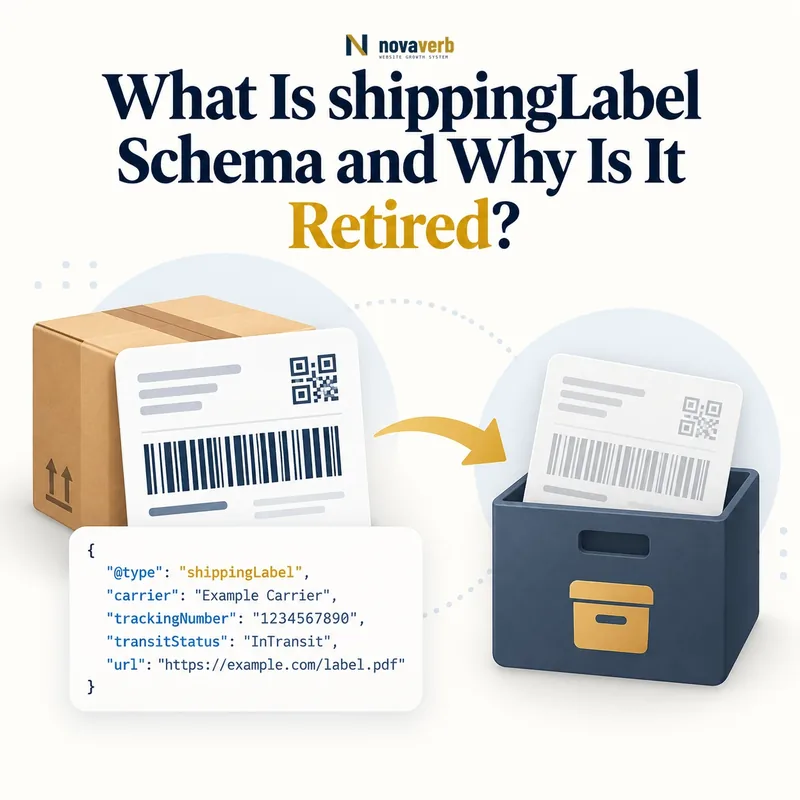
What Is shippingLabel Schema?
shippingLabel is a retired Schema.org Text property that historically matched OfferShippingDetails with ShippingRateSettings inside a shippingSettingsLink cross-reference.
The same label value was intended to appear on the Offer-side shipping details and on the reusable rate-settings entity. The text acted as a routing key that distinguished one shipping policy from another on a shared settings resource.
Because the property is retired, it should be analyzed as legacy matching infrastructure. Existing values may still document intended relationships, but new implementations should not assume the term remains a durable, supported selector without testing the target consumer.
- Identify the exact page, asset, entity or relationship described in this section.
- Inspect the live implementation and retain the observed evidence.
- Compare the observation with the intended meaning and its primary specification.
- Correct any mismatch, then retest the live result.
- Record the accountable owner and review date.
| Case | Meaning | Action |
|---|---|---|
| shippingLabel | Retired Text property | Audit legacy use |
| OfferShippingDetails | Historical label source | Map Offer cohort |
| ShippingRateSettings | Historical label target | Map rate policy |
| shippingSettingsLink | Cross-reference context | Also retired |
| Current consumer | Support unknown | Test contract |
- Treat the label as legacy evidence.
- Extract both sides of each match.
- Preserve the intended rate relationship.
- Avoid expanding unverified retired usage.
Use the free backlink checker to find linked product pages before changing a shared shipping cohort.
Primary specification: Schema.org definition for shippingLabel.
shippingLabel is best understood as a retired text-based matching key whose intended Offer-to-rate relationship must survive migration.
Where Was shippingLabel Used?
shippingLabel was used on both OfferShippingDetails and ShippingRateSettings within the historical linked-settings model.
It should not be confused with a visible delivery-method name, a Product category, an internal warehouse code, or transitTimeLabel. A merchant could reuse the same internal concept, but the structured property had a specific matching role between Offer shipping details and rate settings.
Entity placement matters during audit. A value found only on one side cannot prove a complete match. Record the Offer, settings entity, shared resource URL, merchant, destination, service, rate, and exact label text together.
- The exact page, asset, entity or relationship covered by this section
- The live implementation rather than an editor-only preview
- The primary specification or first-party record defining the expected behavior
- The validation result, accountable owner and review date
| Case | Meaning | Action |
|---|---|---|
| OfferShippingDetails | Offer-side match value | Find dependent Offers |
| ShippingRateSettings | Settings-side match value | Find rate group |
| Product | Not a listed parent | Do not attach directly |
| DeliveryTimeSettings | Different settings type | Use timing audit |
| Visible service text | Customer-facing label | Do not assume identity |
- Extract Offer-side labels.
- Extract settings-side labels.
- Join by merchant and resource context.
- Flag values present on only one side.
Review OfferShippingDetails and ShippingRateSettings.
Correct legacy mapping requires the same intended label relationship on the Offer and ShippingRateSettings sides, not a text fragment found in isolation.
Why Is shippingLabel Retired?
shippingLabel is marked retired in the current Schema.org vocabulary, so it is no longer a current property for building new matching architecture.
The vocabulary page establishes retirement status but does not establish a universal migration target for every consumer. Ecommerce platforms, feeds, crawlers, and internal parsers can support different contracts and release schedules. A safe migration starts from the active consumer's supported representation.
Retirement also changes content maintenance priorities. Stop adding new dependencies, identify where the label still controls business behavior, and preserve the rate-policy relationship while moving a test cohort to a supported model.
- The exact page, asset, entity or relationship covered by this section
- The live implementation rather than an editor-only preview
- The primary specification or first-party record defining the expected behavior
- The validation result, accountable owner and review date
| Case | Meaning | Action |
|---|---|---|
| Vocabulary status | Retired | Do not grow reliance |
| Existing markup | Legacy dependency | Inventory |
| Target platform | Contract authority | Confirm support |
| Replacement model | Consumer-specific | Do not invent |
| Migration cohort | Measured change | Prove parity |
- Record the current vocabulary status.
- List all consumers.
- Identify supported target contracts.
- Migrate one controlled cohort.
- Compare shipping outcomes.
Retirement calls for evidence-based migration that preserves policy semantics, not automatic deletion and not continued expansion.
How Exact Did shippingLabel Matching Need to Be?
shippingLabel matching should be audited as an exact relationship because casing, whitespace, punctuation, encoding, locale suffixes, and normalization differences can disconnect an Offer from its intended rate settings.
A source may emit Standard, standard, or standard-space with visually similar meaning but different text. Template trimming, feed transformations, CMS editors, and Unicode characters can create subtle mismatches that are invisible in a rendered page.
Do not normalize production values until the intended pair is known. First compare raw values, normalized candidates, merchant boundaries, and rate outcomes. Then repair the authoritative identifier source and regenerate both sides consistently.
- Identify the exact page, asset, entity or relationship described in this section.
- Inspect the live implementation and retain the observed evidence.
- Compare the observation with the intended meaning and its primary specification.
- Correct any mismatch, then retest the live result.
- Record the accountable owner and review date.
| Case | Meaning | Action |
|---|---|---|
| Standard vs standard | Case mismatch | Trace intended pair |
| standard plus space | Whitespace mismatch | Fix source serialization |
| US-Standard vs US_Standard | Punctuation drift | Choose canonical ID |
| Localized suffix | Market ambiguity | Separate market scope |
| Unicode look-alike | Encoding defect | Normalize safely |
- Preserve raw label bytes and text.
- Compare trimmed and normalized candidates.
- Confirm merchant and market scope.
- Repair both sides from one source.
A label repair is trustworthy when both sides receive one canonical identifier and the selected shipping rate remains unchanged.
What Happens When Labels Are Missing or Duplicated?
A missing one-sided label can orphan an Offer or settings group, while a duplicated label can make multiple rate policies appear eligible for the same historical match.
Missing labels may also indicate deliberate unlabelled fallback behavior, accidental template omission, or an incomplete migration. Duplicates may be harmless across clearly separated merchants but dangerous within one merchant, shared resource, market, and service cohort.
Classify the context before editing. Join labels by merchant, target resource, destination, service, product cohort, and effective dates. If multiple candidates remain, checkout policy ownership must resolve the intended rate.
- The exact page, asset, entity or relationship covered by this section
- The live implementation rather than an editor-only preview
- The primary specification or first-party record defining the expected behavior
- The validation result, accountable owner and review date
| Case | Meaning | Action |
|---|---|---|
| Offer label only | No settings match | Find target or repair |
| Settings label only | No dependent Offer | Investigate orphan |
| Duplicate in same cohort | Ambiguous policy | Resolve ownership |
| Duplicate across merchants | May be scoped safely | Verify separation |
| No label plus fallback true | Potential default | Test precedence |
- Detect one-sided values.
- Group duplicates by full scope.
- Identify fallback intent.
- Use checkout authority to resolve ambiguity.
- Add regression cases.
Missing and duplicate labels are resolved only when each Offer cohort has one deterministic, evidence-backed shipping policy.
How Does shippingLabel Differ From isUnlabelledFallback?
shippingLabel historically selected a specific labelled ShippingRateSettings group, while isUnlabelledFallback marks unlabelled settings intended as a default.
Combining isUnlabelledFallback true with shippingLabel is not meaningful in the property's definition because fallback settings are specifically unlabelled. A specific labelled policy and an unlabelled default play different roles in precedence.
During migration, preserve that distinction even if the retired text label disappears. Specific product, seller, service, or destination policies should continue to win; the fallback should apply only when no narrower valid policy matches.
- Identify the exact page, asset, entity or relationship described in this section.
- Inspect the live implementation and retain the observed evidence.
- Compare the observation with the intended meaning and its primary specification.
- Correct any mismatch, then retest the live result.
- Record the accountable owner and review date.
| Case | Meaning | Action |
|---|---|---|
| shippingLabel | Specific historical match | Retired |
| isUnlabelledFallback true | Unlabelled default intent | Current property page |
| True plus label | Semantic conflict | Separate entities |
| Specific rate | Narrow cohort | Apply first |
| Fallback rate | Remaining cohort | Apply last |
- Map labelled specific groups.
- Map the unlabelled default.
- Detect true-plus-label conflicts.
- Prove specific rules override fallback.
See isUnlabelledFallback in ShippingRateSettings.
Specific matching and fallback selection stay coherent when they remain separate policies with deterministic precedence.
How Do Labels Connect to Rates and Destinations?
A shippingLabel did not define price or geography by itself; it selected ShippingRateSettings whose shippingRate, shippingDestination, threshold, percentage, and exclusion properties determined the outcome.
A label named free-standard does not prove shipping is free. A label named US does not prove every US destination qualifies. Names are identifiers, while monetary values, DefinedRegion data, service scope, doesNotShip rules, and checkout logic carry the actual claim.
Audit labels and policy facts separately. After resolving a label pair, validate currency, amount, inclusive free threshold, postal or regional scope, product exceptions, and rate precedence against real checkout cases.
- The exact page, asset, entity or relationship covered by this section
- The live implementation rather than an editor-only preview
- The primary specification or first-party record defining the expected behavior
- The validation result, accountable owner and review date
| Case | Meaning | Action |
|---|---|---|
| free-standard label | Identifier only | Verify threshold or zero rate |
| US label | Identifier only | Verify DefinedRegion |
| express label | Service hint | Verify actual service |
| shippingRate | Monetary outcome | Check currency |
| shippingDestination | Geographic outcome | Check exclusions |
- Resolve the historical label pair.
- Read the selected settings entity.
- Validate destination and service.
- Calculate rate and threshold.
- Compare checkout.
Validate shippingDestination, shippingRate, and freeShippingThreshold.
A label has no commercial truth by itself; the selected rate settings and checkout outcome provide that truth.
What shippingLabel Mistakes Are Common?
Common shippingLabel mistakes include adding the retired property to new templates, mismatching case or whitespace, duplicating values, crossing merchant boundaries, combining a label with a true fallback, and treating label names as rate facts.
Other defects include stale Offer labels after settings changes, settings labels with no Offers, redirects that change the cross-reference context, labels copied across markets, and syntax-only validation that never checks which rate wins.
Fix the shared identifier and shipping-policy sources instead of patching rendered pages one at a time. Preserve a before-state graph, quantify affected Offers, stage the repair, and compare checkout across specific and fallback cohorts.
- Identify the exact page, asset, entity or relationship described in this section.
- Inspect the live implementation and retain the observed evidence.
- Compare the observation with the intended meaning and its primary specification.
- Correct any mismatch, then retest the live result.
- Record the accountable owner and review date.
| Case | Meaning | Action |
|---|---|---|
| New retired label | Legacy expansion | Stop generation |
| Case mismatch | Broken pair | Canonicalize source |
| Duplicate label | Ambiguous selection | Assign stable identity |
| Label equals price claim | Unsupported inference | Validate settings |
| True fallback plus label | Contradiction | Separate roles |
- Inventory raw values.
- Join both sides in full context.
- Flag conflicts and orphans.
- Repair the authoritative identifier.
- Retest selected rates.
shippingLabel defects require relationship and outcome validation, not merely confirmation that a text value exists.