
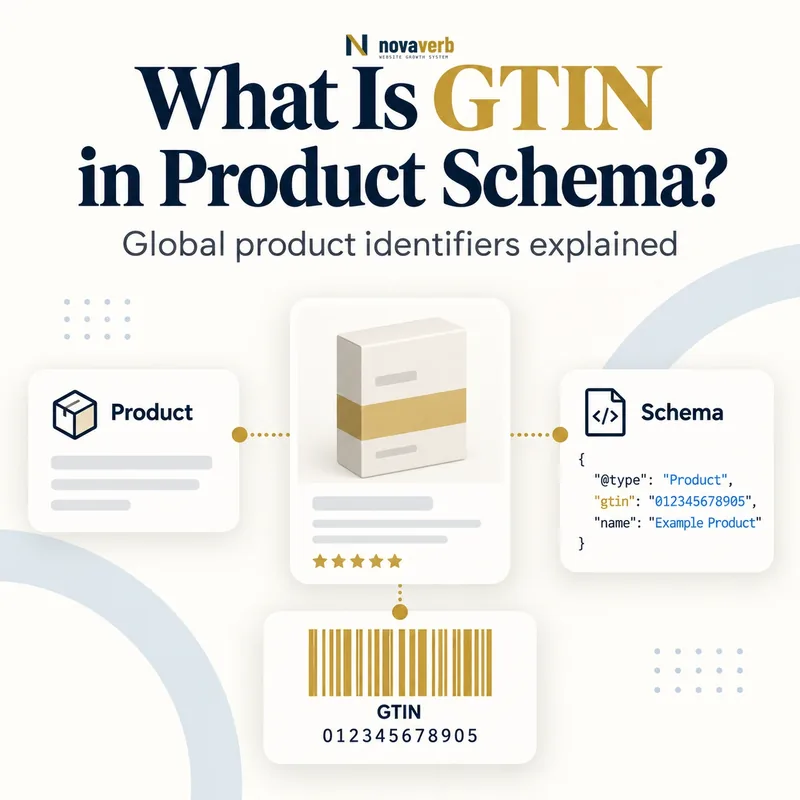
What Is GTIN in Product Schema?
GTIN in Product Schema is a numeric global trade item identifier that connects a structured Product to the exact trade item defined by its brand or authorized issuer.
GTIN stands for Global Trade Item Number. Its common lengths are 8, 12, 13 and 14 digits, represented through gtin8, gtin12, gtin13 and gtin14, or through the generic gtin property. The identifier distinguishes a specific sellable item - not merely its brand, category or product family - and includes a check digit. Product systems can use that identity to reconcile catalog, merchant feed and structured data records. A GTIN does not replace price, Offer, reviews or variant relationships, and adding one does not guarantee search visibility or CTR. The value must come from the actual product record or its authoritative packaging and remain numeric; inventing a plausible sequence creates false entity evidence.
- Identify the exact page, asset, entity or relationship described in this section.
- Inspect the live implementation and retain the observed evidence.
- Compare the observation with the intended meaning and its primary specification.
- Correct any mismatch, then retest the live result.
- Record the accountable owner and review date.
| Identifier | Length | Typical structured property |
|---|---|---|
| GTIN-8 | 8 digits | gtin8 |
| GTIN-12 | 12 digits | gtin12 |
| GTIN-13 | 13 digits | gtin13 |
| GTIN-14 | 14 digits | gtin14 |
| Generic GTIN | Supported lengths | gtin |
| Check digit | Final validation digit | Part of full value |
- Use authoritative identifiers.
- Match exact item and variant.
- Preserve all digits.
- Never invent a GTIN.
Primary specification: Schema.org definition for gtin.
GTIN is useful only when its complete numeric value identifies the exact trade item represented by the Product node.
Why Does GTIN Matter for Ecommerce SEO?
GTIN matters because it gives a product a globally recognizable identity that can reduce ambiguity across pages, merchants, feeds and shopping systems.
A name such as “Classic Black Sneaker” can describe several sizes, colors, revisions or counterfeit copies. A valid GTIN narrows that ambiguity to a defined trade item and helps systems reconcile equivalent listings from different sellers. That reconciliation can support product knowledge and shopping experiences, but the identifier is evidence rather than a ranking lever. It must agree with brand, model, variant, packaging level and Merchant Center feed. A wrong GTIN may connect a page to the wrong product, which is worse than omitting a code the catalog does not genuinely have. Strong identity also improves internal deduplication, feed diagnostics and variant QA. Treat the identifier as catalog master data shared by operations, ecommerce and SEO rather than a field owned only by markup.
- The exact page, asset, entity or relationship covered by this section
- The live implementation rather than an editor-only preview
- The primary specification or first-party record defining the expected behavior
- The validation result, accountable owner and review date
| Benefit | Evidence improved | Risk if wrong |
|---|---|---|
| Entity matching | Same item across merchants | Wrong product association |
| Variant resolution | Exact sellable unit | Sibling variants merge |
| Feed reconciliation | Page and Merchant Center | Conflicting records |
| Deduplication | Equivalent offers | False duplicates |
| Catalog QA | Identity completeness | Hidden source defects |
| Search presentation | Eligibility context | No guaranteed enhancement |
- Resolve catalog identity.
- Reconcile page and feed.
- Test variant specificity.
- Monitor mismatches.
The SEO value of GTIN comes from accurate product reconciliation across systems, not from adding more digits to JSON-LD.
Which GTIN Property Should You Use?
Use the most specific GTIN property matching the identifier’s exact digit length, while the generic gtin property can represent any supported GTIN form.
An 8-digit value belongs in gtin8, a 12-digit value in gtin12, a 13-digit value in gtin13 and a 14-digit value in gtin14. Current product documentation accepts generic gtin but identifies the specific property as the most accurate representation when the length is known. Keep the value as text in JSON so leading zeros remain intact, yet use only numerical characters. Do not supply a GS1 Digital Link URL in place of the numeric value for the current search feature. If several legitimate identifiers apply to the exact Product, include the applicable values according to the supported model without translating one length into another casually. Validate length and check digit before publishing.
- Identify the exact page, asset, entity or relationship described in this section.
- Inspect the live implementation and retain the observed evidence.
- Compare the observation with the intended meaning and its primary specification.
- Correct any mismatch, then retest the live result.
- Record the accountable owner and review date.
| Input value | Best property | Control |
|---|---|---|
| 8 digits | gtin8 | Preserve leading zeros |
| 12 digits | gtin12 | Numeric text |
| 13 digits | gtin13 | Numeric text |
| 14 digits | gtin14 | Numeric text |
| Known valid length | Specific property | Most precise |
| Digital Link URL | Not accepted as value | Use numeric GTIN |
- Count digits exactly.
- Use the matching property.
- Store as text safely.
- Exclude URL-form values.
Choose the specific property from the authoritative number’s true length and publish the full numeric value without reformatting.
How Is GTIN Different From SKU and MPN?
GTIN is a global trade item identifier, SKU is a merchant-specific stock identifier and MPN is a manufacturer-assigned part number.
A retailer can assign its own SKU to manage inventory, so the same product may have different SKUs across sellers. An MPN identifies a part within the manufacturer’s system and usually needs brand context to disambiguate it. A GTIN follows GS1 identification rules and is intended to identify a trade item across organizations. These fields can coexist on one Product when each value is genuine. Do not copy a SKU into gtin12 because it happens to contain 12 digits, and do not treat a model name as an MPN without evidence. If a product has no assigned GTIN, use accurate brand and MPN or merchant SKU where appropriate rather than manufacturing a code. Identity confidence comes from source authority and agreement, not field count.
- The exact page, asset, entity or relationship covered by this section
- The live implementation rather than an editor-only preview
- The primary specification or first-party record defining the expected behavior
- The validation result, accountable owner and review date
| Identifier | Issuer/scope | May differ by seller? |
|---|---|---|
| GTIN | Global trade item system | No for same trade item |
| SKU | Merchant inventory system | Yes |
| MPN | Manufacturer part system | Usually no by manufacturer |
| Model name | Marketing/catalog label | Can be ambiguous |
| ISBN | Books only in current product use | No for same edition |
| ProductGroup ID | Variant family identity | Not a child GTIN |
- Identify code issuer.
- Determine identity scope.
- Map to correct property.
- Reject inferred conversions.
Use GTIN, SKU and MPN for their distinct identity scopes, and never promote a local code into a global one based only on digit length.
How Should GTIN Work With Product Variants?
Each product variant should carry the GTIN assigned to that exact sellable configuration, while the ProductGroup describes their shared family.
Size, color, capacity, pack count and condition can create distinct trade items. A red size-9 shoe must not inherit the blue size-10 shoe’s GTIN simply because both share a model name. The parent Product Variant Schema node groups children through ProductGroup, while each child Product maintains its SKU, GTIN, image, availability and Offer. A single-page variant selector must update visible identity and structured data coherently or expose a supported group representation. Separate variant URLs should canonicalize to their intended strategy without collapsing all child identities accidentally. Packaging levels may also have separate GTINs; a case identifier should not be assigned to one retail unit. Audit GTIN uniqueness within the family and investigate duplicates rather than deduplicating blindly.
- Identify the exact page, asset, entity or relationship described in this section.
- Inspect the live implementation and retain the observed evidence.
- Compare the observation with the intended meaning and its primary specification.
- Correct any mismatch, then retest the live result.
- Record the accountable owner and review date.
| Variant dimension | GTIN handling | Example risk |
|---|---|---|
| Color | Exact child GTIN | Sibling color copied |
| Size | Exact child GTIN | All sizes share code |
| Capacity | Exact child GTIN | 128GB and 256GB merge |
| Pack quantity | Exact packaging GTIN | Case code on single unit |
| ProductGroup | No child substitution | Family ID used as GTIN |
| Condition | Confirm trade item scope | Used item misidentified |
- Map GTIN at child level.
- Keep ProductGroup separate.
- Test selector state.
- Flag duplicate sibling codes.
Variant markup is correct when every child Product carries only the identifier assigned to its precise configuration and packaging level.
How Do You Validate a GTIN?
Validate a GTIN by checking numeric characters, accepted length, leading-zero preservation, check digit and agreement with authoritative product evidence.
Start with the raw value from packaging, a verified supplier catalog or the brand’s product master. Remove display spaces or hyphens only when they are formatting characters, not meaningful data. Confirm the remaining sequence contains 8, 12, 13 or 14 digits and that the check digit validates under GS1 rules. A valid checksum proves the number is structurally plausible; it does not prove the code belongs to the Product on the page. Cross-check brand, description, variant, package quantity and feed records. Preserve leading zeros by storing identifiers as text, because numeric database columns or spreadsheets can silently shorten them. Log both validation status and evidence source so later corrections can be traced.
- The exact page, asset, entity or relationship covered by this section
- The live implementation rather than an editor-only preview
- The primary specification or first-party record defining the expected behavior
- The validation result, accountable owner and review date
| Validation layer | Question | Pass condition |
|---|---|---|
| Characters | Digits only? | No letters or URL |
| Length | 8/12/13/14? | Accepted GTIN length |
| Leading zeros | Preserved? | Exact original sequence |
| Check digit | Mathematically valid? | GS1 checksum passes |
| Ownership | Matches product? | Brand/catalog evidence |
| Variant/package | Exact trade item? | Correct child and level |
- Collect authoritative raw value.
- Normalize display formatting.
- Validate length and checksum.
- Confirm product assignment.
A GTIN passes only when both its structure and its assignment to the exact product are verified; checksum alone is insufficient.
How Do You Add GTIN to Product JSON-LD?
Add GTIN to Product JSON-LD as a numeric-text value on the exact Product node using the property that matches its digit length.
Place the field alongside product name, brand, MPN and SKU, not inside Offer Schema. The Offer describes the transaction; GTIN describes the item. Use a trusted JSON serializer so leading zeros and text typing survive output. A Product with a 14-digit number can use "gtin14": "00012345600012". Do not emit both a specific property and a contradictory generic value. When the page contains several variants, connect identifiers to their child Product nodes rather than collecting every code on the parent. Related Product Schema, Merchant Listing Schema and JSON-LD explain the surrounding structure. Validate rendered production output.
- Identify the exact page, asset, entity or relationship described in this section.
- Inspect the live implementation and retain the observed evidence.
- Compare the observation with the intended meaning and its primary specification.
- Correct any mismatch, then retest the live result.
- Record the accountable owner and review date.
| JSON-LD location | Value | QA check |
|---|---|---|
| Product.gtin14 | 00012345600012 | 14 digits retained |
| Product.sku | merchant-123 | Separate local identity |
| Product.mpn | maker-456 | Manufacturer evidence |
| Product.brand.name | Example Brand | Matches item |
| Offer | Price and availability | No GTIN placement |
| Child Product | Variant-specific code | No sibling leakage |
- Attach to Product.
- Use specific length property.
- Serialize as text.
- Check rendered child identity.
GTIN JSON-LD should attach one verified numeric identifier to the exact Product node and remain separate from transaction data.
What GTIN Structured Data Mistakes Are Common?
Common GTIN mistakes include inventing codes, dropping leading zeros, copying one identifier across variants, using the wrong length property and publishing URL-form values.
Other defects include placing SKU or MPN into a GTIN field, attaching a case-level GTIN to a single item, accepting a valid checksum without verifying product assignment and letting feed data disagree with page markup. Spreadsheet imports often convert long identifiers to scientific notation or numbers, corrupting digits. Plugins may fall back to a parent identifier whenever child data is empty, spreading one wrong value across an entire product family. A validator can catch format or length problems but may not know that the code belongs to a different model. Compare structured data with packaging, catalog, brand and Merchant Center evidence. When no trusted GTIN exists, omit it and use other honest identifiers.
- The exact page, asset, entity or relationship covered by this section
- The live implementation rather than an editor-only preview
- The primary specification or first-party record defining the expected behavior
- The validation result, accountable owner and review date
| Mistake | Evidence | Fix |
|---|---|---|
| Invented code | No authoritative source | Remove value |
| Leading zero lost | Length shrinks | Store as text |
| Sibling duplication | Same GTIN across variants | Map child records |
| SKU copied to GTIN | Issuer mismatch | Use sku property |
| URL-form GTIN | Non-numeric value | Publish digits only |
| Case code on unit | Packaging mismatch | Use exact level |
- Find format anomalies.
- Detect variant duplicates.
- Verify evidence sources.
- Remove unsupported codes.
The highest-risk error is a structurally valid GTIN assigned to the wrong product because it can create confident but false entity matching.